Tired of paying $30/month for FreshBooks, plus another $20/month for a separate invoicing tool, just to bill your clients? What if you could create professional invoices, accept Stripe payments, track client balances, and send automatic overdue reminders — all from your own WordPress dashboard, with no monthly fees?
That’s exactly what a dedicated wordpress invoice plugin can do. And in this guide, we’ll show you the most complete solution available: AgenciesWP.
Why You Need a WordPress Invoice Plugin (Instead of SaaS)
Most freelancers and agencies start with a SaaS tool like FreshBooks, Xero, or Wave. But those tools have three major problems:
- Monthly fees that add up to $200–$500/year per tool
- No direct integration with your WordPress client portal
- Separate logins for you AND your clients (friction = delayed payments)
A wordpress invoice plugin solves all three. Your clients see invoices inside your branded portal, pay with Stripe in one click, and you keep everything self-hosted with a one-time license.
8 Essential Features of a WordPress Invoice Plugin
Not all invoice plugins are equal. A professional wordpress invoice plugin must include these eight capabilities:
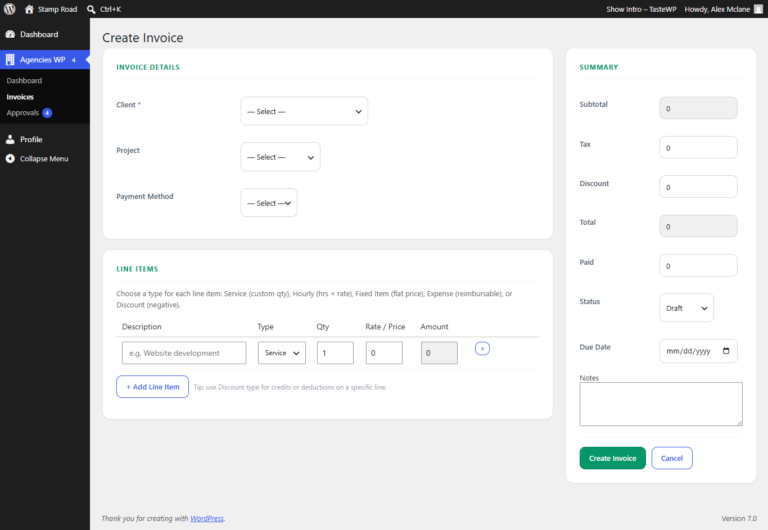
- 5 Line-Item Types – Service, Hourly, Fixed Item, Expense, and Discount on one invoice
- Stripe Integration – One-click payments from the client portal
- Live Client Balance – Real-time invoiced, paid, and outstanding amounts
- Tax & Discount Fields – Apply at invoice level or line-item level
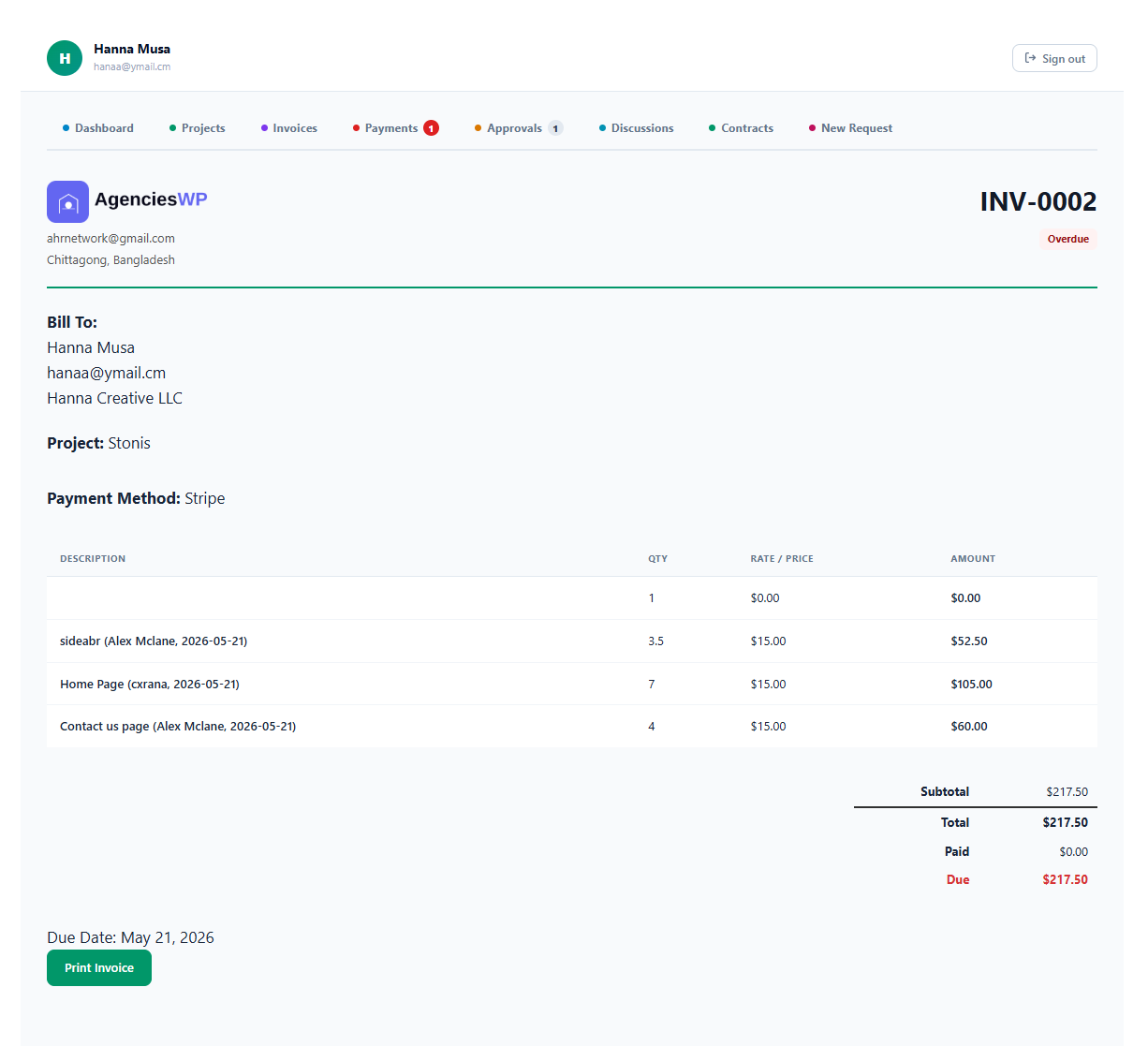
- Invoice Statuses – Draft, Sent, Paid, Partial, Overdue, Cancelled with color badges
- Auto Numbering – Custom prefix (INV-) plus auto-increment
- Print-Ready PDFs – Logo, client details, clean layout
- Auto Overdue Marking – Past-due invoices highlight red automatically
Without these, you’re not saving time — you’re just moving friction from one tool to another.
AgenciesWP: The Complete WordPress Invoice Plugin
AgenciesWP isn’t just an invoice plugin — it’s a full agency management suite. But its invoicing and Stripe module alone outranks most dedicated invoicing tools. Here’s how:
1. Stripe Integration That Just Works
Add your Stripe Publishable + Secret keys once in Settings. Every invoice and payment request shows a green “Pay with Stripe” button in the client portal. Clients pay in under 30 seconds — no account creation required.
2. Live Client Balance Panel
Before you even send an invoice, the yellow Client Balance panel shows real-time invoiced, paid, and outstanding amounts. No more guessing what a client owes.
3. One-Click Invoice from Time Logs
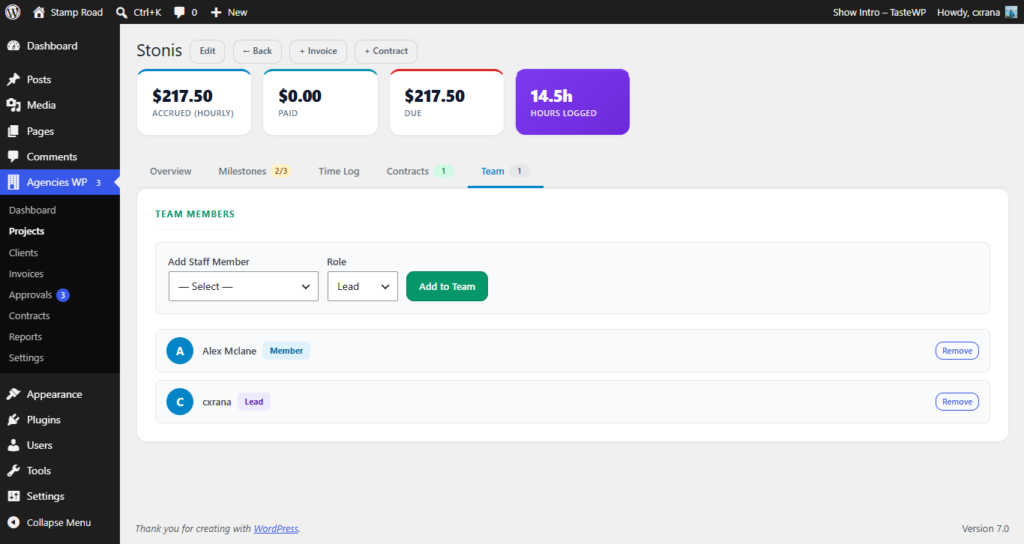
If you track time in AgenciesWP, creating an invoice is instant. Check the time entries you want to bill → they import as line items → send. Hours logged → invoice → paid in one flow.
4. Auto Overdue Tracking
Invoices past their due date automatically flip to Overdue status with red highlighting site-wide. No manual chasing — you see exactly who hasn’t paid.
5. Print-Ready PDFs with Your Logo
Upload your logo once in Settings. Every invoice PDF includes it automatically. One click to print or save as PDF — professional, branded, client-ready.
Payment Requests: Invoicing Without Full Invoices
Need a deposit, hosting fee, or one-off payment? Use Payment Requests. They work exactly like invoices but skip the line-item detail. Add an amount, send the Stripe link, get paid. Perfect for retainers and setup fees.
Pricing: Why a WordPress Invoice Plugin Saves You Money
AgenciesWP uses a one-time annual license — no per-invoice fees, no per-client fees, no Stripe percentage beyond Stripe’s own fee.
| License | Annual Price | Best for |
|---|---|---|
| Single Site | $79 | Solo freelancers |
| Agency | $149 | 5 websites, priority support |
| Unlimited | $299 | Unlimited sites, white-glove setup |
Compare that to FreshBooks ($198–$600/year) plus a separate Stripe plugin ($50–$100/year). AgenciesWP pays for itself in two months or less.
Frequently Asked Questions
Does AgenciesWP charge extra for Stripe or invoice features?
No. Invoicing and Stripe integration are included in every license — Single, Agency, and Unlimited. No hidden fees.
Can I send recurring invoices or subscriptions?
Yes, via Stripe. You can set up subscription payments for retainers, hosting plans, or monthly support packages.
Do my clients need a Stripe account to pay?
No. Clients pay with any credit card or debit card. Stripe processes the payment. No account needed.
Can I export invoices to my accountant?
Yes. CSV export of all invoices, payments, and client lists. Open in Excel or import to QuickBooks, Xero, or any accounting software.
Is there a free trial or refund policy?
14-day no-questions-asked refund policy on all annual licenses. Contact us → for a demo.
Conclusion: Stop Paying Monthly Invoicing Fees
A dedicated wordpress invoice plugin like AgenciesWP does everything FreshBooks, Wave, or Xero does — plus it lives inside your WordPress dashboard, shows invoices in your client portal, and has zero per-seat fees.
If you’re tired of monthly subscriptions and want to accept Stripe payments directly from your own site, AgenciesWP is the solution.
← Back to all AgenciesWP features
Discover more from Agencies WP
Subscribe to get the latest posts sent to your email.