Bonsai is genuinely good software. If you’re a solo freelancer who just needs contracts and invoices, it works. But at $25–$39 per user per month, a 3-person agency pays $75–$117 every single month — $900 to $1,404 per year — for a tool that lives on someone else’s server, locks your data in their system, and charges more every time you add a team member.
If you run your business on WordPress, there’s a better way.
This guide breaks down exactly where Bonsai falls short for WordPress-based agencies and freelancers, and how AgenciesWP solves those problems for a flat $79 per year — with no per-seat fees, no SaaS lock-in, and 100% self-hosted data.
What Bonsai Does Well
To be fair, Bonsai earned its reputation. Here’s what it genuinely gets right:
Contracts and e-signatures — Bonsai’s contract workflow is polished. Templates are clean, the signing experience is smooth, and proposals convert well.
Invoicing — Creating and sending invoices is fast. Automatic payment reminders and recurring billing are solid features.
Time tracking — Basic hourly tracking works fine for solo operators. You can log time against projects and pull it into invoices.
All-in-one positioning — For a solo freelancer, Bonsai does replace 4–5 separate tools. That’s genuinely valuable.
But here’s where it starts breaking down.
Where Bonsai Falls Short
1. Per-User Pricing Gets Expensive Fast
Bonsai’s Essentials plan starts at $25 per user per month. Premium is $39 per user per month.
Here’s what that means for a real agency:
| Team Size | Bonsai Essentials | Bonsai Premium |
|---|---|---|
| 1 person | $25/mo ($300/yr) | $39/mo ($468/yr) |
| 3 people | $75/mo ($900/yr) | $117/mo ($1,404/yr) |
| 5 people | $125/mo ($1,500/yr) | $195/mo ($2,340/yr) |
A 5-person team on Bonsai Premium spends $2,340 per year. That’s before any add-ons. For comparison, AgenciesWP costs $149 per year for the Agency plan — unlimited team members, no per-seat charges, ever.
2. No Real Client Portal
Bonsai’s “client portal” lets clients view contracts and invoices. That’s it. There’s no project progress view, no discussions, no approval workflows, no file management, no payment requests — clients can’t see what’s actually happening on their project.
For agencies that want to look professional and reduce the endless “can you send me an update?” emails, Bonsai’s portal isn’t enough.
3. SaaS Lock-in — Your Data Lives on Their Servers
Every client, project, invoice, contract, and time log you create in Bonsai lives on Bonsai’s servers. If they raise prices (and SaaS tools always eventually do), if they get acquired, if they shut down — you have a problem.
For WordPress-based businesses, this feels especially wrong. You already control your own server, your own database, your own domain. Why hand your business data to a third party?
4. US-Centric Tax Features You May Not Need
A big part of Bonsai’s value proposition is US tax preparation — quarterly estimates, Schedule C tracking, 1099 support. If you’re outside the United States, you’re paying for a premium feature set that’s completely useless to you.
5. No WordPress Integration
Bonsai is a completely separate application from your WordPress site. Your client portal is on Bonsai’s domain. Your invoices come from Bonsai’s servers. There’s no connection to your WordPress site, your theme, or your brand.
If you’ve invested in building a WordPress-based agency — your site, your theme, your brand — Bonsai doesn’t connect to any of it.
The WordPress-Native Alternative: AgenciesWP
AgenciesWP is a self-hosted WordPress plugin built specifically for agencies and freelancers. It replaces Bonsai — and every other tool in your stack — with a single plugin that lives inside your WordPress dashboard.
Here’s what it includes:
- Project management — Status workflow, milestones, priority levels, file uploads, hourly or fixed-price budgets
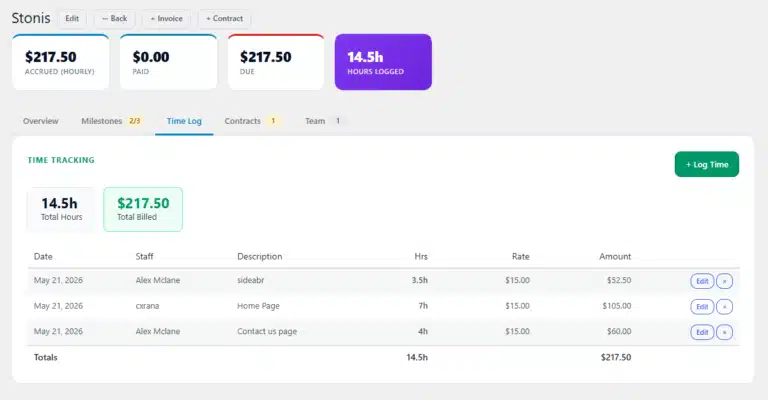
- Time tracking — Per-staff hourly rates, live cost accrual, one-click invoice import
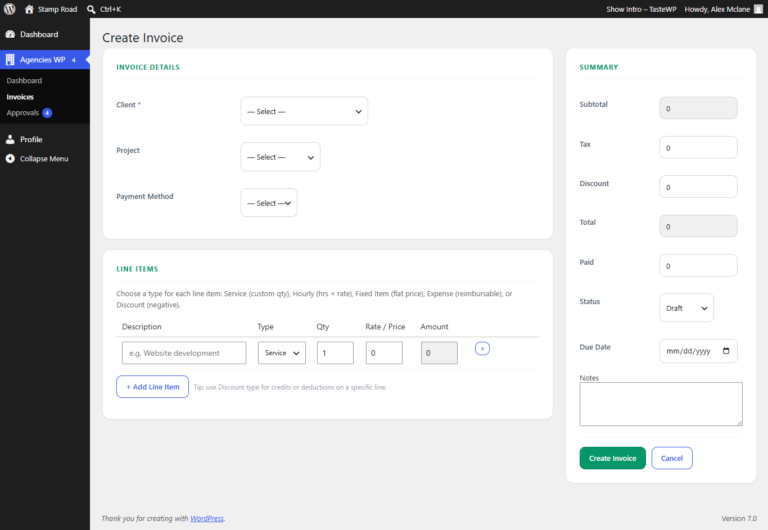
- Stripe-powered invoicing — 5 line-item types, tax, discount, client balance panel, PDF export
- Contracts and e-signatures — Draft in the WordPress editor, send a signing link, typed e-signature with timestamp
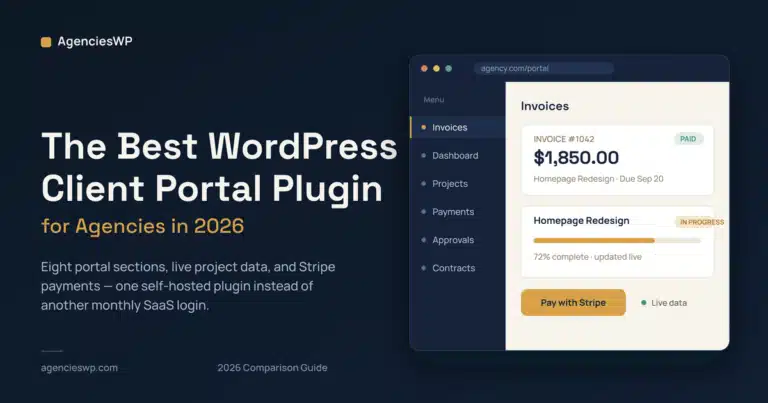
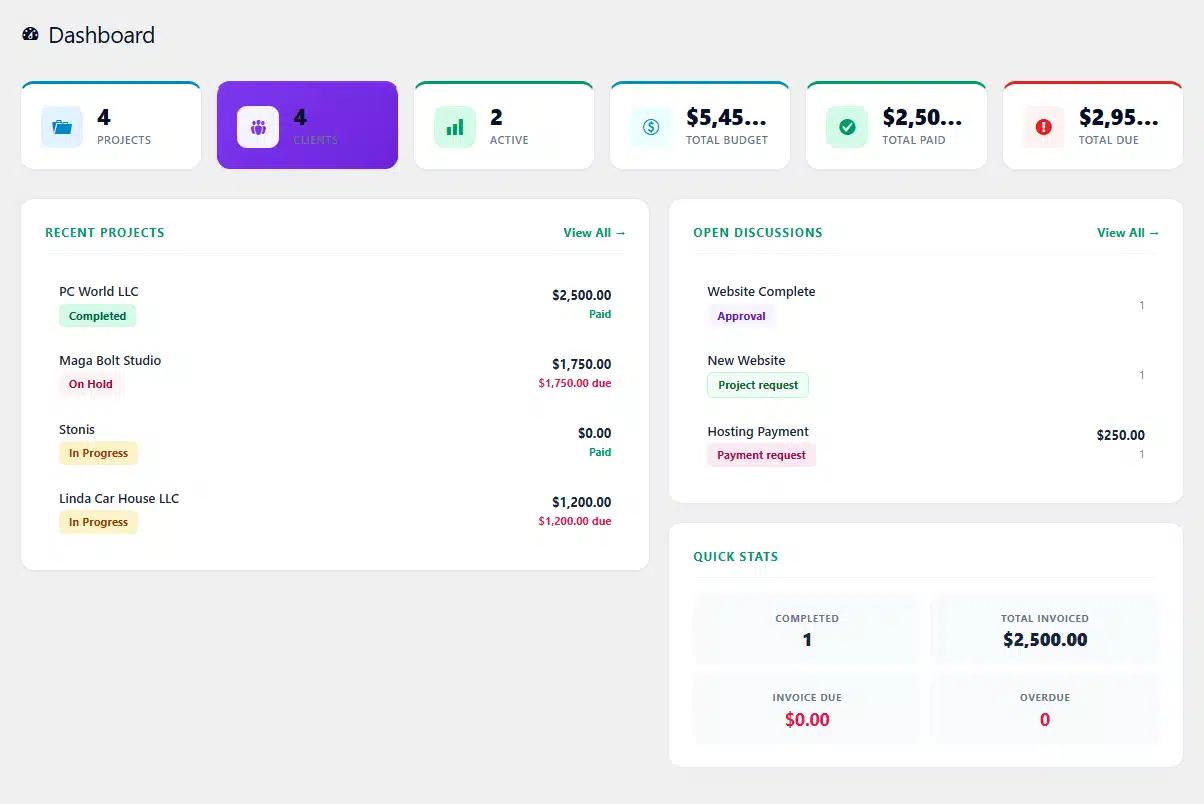
- White-label client portal — 8 sections: Dashboard, Projects, Invoices, Payments, Approvals, Discussions, Contracts, New Request
- Team management — Unlimited team members, role-based access, zero per-seat fees
Everything runs inside your WordPress site. Your data lives in your own database. Your client portal is on your domain. Your brand, your control, your data.
Feature Comparison: Bonsai vs AgenciesWP
| Feature | Bonsai | AgenciesWP |
|---|---|---|
| Project management | Basic (no milestones or Gantt) | ✓ Full milestones + status workflow |
| Time tracking | ✓ | ✓ Per-staff rates |
| Invoicing | ✓ | ✓ 5 line-item types |
| E-signatures | ✓ | ✓ |
| Client portal | Basic (contracts + invoices only) | ✓ 8 full sections |
| Team members | Per-seat pricing | ✓ Unlimited, no extra charge |
| Self-hosted | ✗ (SaaS) | ✓ Your WordPress server |
| WordPress integration | ✗ Separate app | ✓ Native plugin |
| Client login method | Email + password | Email + Client ID (no WP account needed) |
| Data ownership | Bonsai’s servers | Your own database |
| US tax prep | ✓ (US only) | ✗ Not included |
| Pricing | $25–$39/user/month | $79–$299/year flat |
Pricing Comparison: The Real Numbers
Let’s compare what a 3-person agency actually pays over 3 years:
Bonsai Premium (3 users)
- Year 1: $117/month × 12 = $1,404
- Year 2: $117/month × 12 = $1,404
- Year 3: $117/month × 12 = $1,404
- 3-year total: $4,212
AgenciesWP Agency Plan (unlimited users)
- Year 1: $149
- Year 2: $149
- Year 3: $149
- 3-year total: $447
You save $3,765 over 3 years. That’s money that stays in your agency.
And if Bonsai raises their prices — which SaaS companies regularly do — your cost goes up. AgenciesWP’s pricing is set at purchase and your plugin keeps working forever even after the license expires.
What Freelancers Switching from Bonsai Say About AgenciesWP
The most common thing freelancers discover after switching: they didn’t realize how much they were missing until they had a real client portal.
Bonsai’s client portal shows clients their contract and their invoice. AgenciesWP’s portal shows clients their project milestones, lets them approve deliverables, post discussion messages, view all their invoices, pay with Stripe, sign contracts, and submit new requests — all from one branded page on your WordPress site.
Clients stop emailing “can I get a status update?” because they can log in and see the answer themselves.
Who Should Switch from Bonsai to AgenciesWP
Switch if:
- You run your business on WordPress and want everything in one place
- You have 2+ team members and per-seat costs are adding up
- You want your client portal on your own domain with your branding
- You’re outside the US and Bonsai’s tax features are useless to you
- You want to own your data and not depend on a SaaS company
Stay with Bonsai if:
- You’re a US-based solo freelancer who heavily uses the tax prep features
- You’re not on WordPress and don’t want to be
- You need an iOS/Android mobile app with a native timer
AgenciesWP is a WordPress plugin — it requires a WordPress site. If you don’t use WordPress, it’s not the right tool for you. But if WordPress is already your platform, it’s the most cost-effective and feature-complete solution available.
How to Migrate from Bonsai to AgenciesWP
Moving your client data from Bonsai to AgenciesWP takes less than an afternoon. Here’s the process:
Step 1 — Export from Bonsai Go to Bonsai Settings → Data Export. Download your clients, projects, and invoices as CSV files.
Step 2 — Install AgenciesWP Purchase a license at agencieswp.com/pricing/. Install and activate the plugin on your WordPress site. Setup takes under 10 minutes.
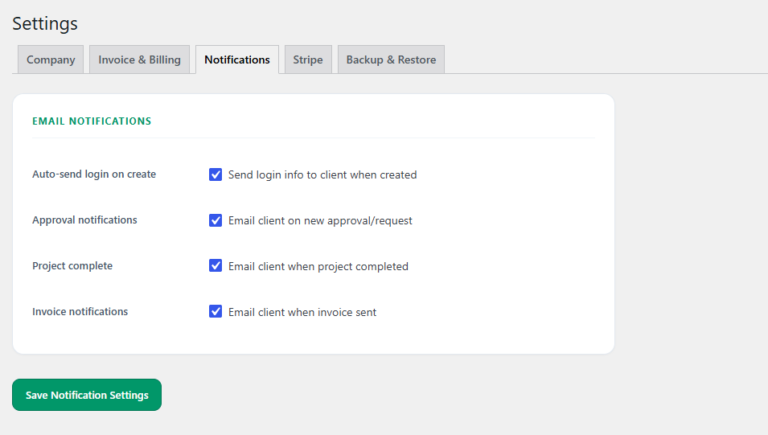
Step 3 — Add your company details Go to Agencies WP → Settings → Company. Upload your logo, add your company name and email. This appears on all invoices.
Step 4 — Re-create your clients Go to Agencies WP → Clients → Add New. Add each client with their name, email, and billing details. Each client gets a unique Client ID automatically.
Step 5 — Set up Stripe Go to Settings → Stripe. Enter your publishable and secret keys. Test with a sandbox payment before going live.
Step 6 — Notify your clients Send clients their new portal login details — their email and their Client ID. The portal is already live on your WordPress site via shortcode.
Total migration time for most agencies: 2–4 hours depending on how many clients you have.
Frequently Asked Questions
Does AgenciesWP have a free trial? There’s no free trial, but there’s a live demo at agencieswp.com and full documentation available before purchase. The plugin also works forever even after the license expires, so your investment isn’t tied to an ongoing subscription.
Can clients pay invoices directly? Yes. With Stripe connected, every invoice in the client portal shows a Pay with Stripe button. Clients pay with card in one click. The invoice status updates to Paid automatically.
Does it require coding to set up? No. AgenciesWP installs like any WordPress plugin. The client portal is created automatically with a shortcode that you paste on any page. No coding required.
What happens if I don’t renew my license? The plugin keeps working. You won’t receive updates or support after the license expires, but your existing data and functionality remain fully intact. Unlike Bonsai, which locks you out the moment you cancel.
Is my data safe? All data is stored in your own WordPress database on your own server. AgenciesWP doesn’t have access to your client data. You can create a full JSON backup at any time from Settings.
Ready to Switch?
If you’re running your agency on WordPress and paying Bonsai $25–$39 per user every month, the math doesn’t work in your favor anymore.
AgenciesWP gives you everything Bonsai offers — plus a real client portal, unlimited team members, and full data ownership — for a flat annual fee that’s less than two months of Bonsai.
→ See AgenciesWP pricing — from $79/year
Or read the full feature overview to see exactly what’s included.
AgenciesWP is a self-hosted WordPress plugin for agencies and freelancers. One annual license. No monthly fees. Unlimited clients, projects, and team members. Your data stays on your server.
Discover more from Agencies WP
Subscribe to get the latest posts sent to your email.