Sending clients a status update over email is fine — until you have 8 active projects and you’re typing the same “here’s where we’re at” message for the fourth time this week.
A WordPress client portal fixes that. Your clients log into a branded page on your domain and see their projects, invoices, and files themselves — no more chasing you for updates, no more digging through email threads to find an invoice.
This guide compares the best WordPress client portal options available in 2026, what to actually look for in a wordpress client portal plugin, and why more agencies are moving to a self-hosted option instead of yet another SaaS login.
TL;DR
Most “client portal” tools fall into two camps: SaaS platforms (SuiteDash, Plutio, HoneyBook) that charge you monthly forever and live outside WordPress, or basic WordPress plugins that only handle file sharing with no invoicing or projects attached. AgenciesWP is the only option that gives you a fully branded, self-hosted client portal plus the projects, invoicing, contracts, and time tracking that feed into it — for one annual fee instead of a monthly bill.
What Is a WordPress Client Portal, Exactly?
A client portal is a private, logged-in area of your website where each client can see only their own information: project status, invoices, files, and messages. Instead of you manually updating each client, the portal pulls live data from your dashboard the moment you update a project or send an invoice.
The best ones are:
- White-labeled — no third-party branding, it looks like part of your agency
- Self-serve — clients can check status, download files, pay invoices, and approve work without emailing you
- Simple to log into — no forcing clients to create a WordPress account or remember a complicated password
What to Look For in a Client Portal Plugin
Before comparing tools, here’s the checklist that actually matters:
- No separate client login system — clients shouldn’t need a full WordPress account
- Branding control — logo, colors, and your own domain, not a subdomain of the vendor’s platform
- Live data, not static pages — the portal should update automatically when you change a project or invoice
- Payments built in — clients should be able to pay directly from the portal, ideally via Stripe
- Approvals and feedback — a way for clients to formally sign off on completed work
- One-time cost vs. recurring — SaaS portals bill monthly per client or per seat; that adds up fast
- Data ownership — self-hosted means your client data lives on your server, not a third party’s

The 7 Best WordPress Client Portal Options for 2026
| Tool | Type | Client Portal Included? | Invoicing | Pricing Model |
|---|---|---|---|---|
| AgenciesWP | WordPress plugin, self-hosted | ✅ 8-section white-label portal | ✅ Stripe built in | $79–$299/year (one-time annual) |
| SuiteDash | SaaS platform | ✅ | ✅ | ~$228+/year, per-seat limits |
| Plutio | SaaS platform | ✅ | ✅ | ~$276+/year, per-user pricing |
| HoneyBook | SaaS platform | ✅ (limited to service businesses) | ✅ | ~$400+/year |
| Bonsai | SaaS platform | Partial (invoices/contracts only) | ✅ | $300–$470/year |
| WP Client Portal-type plugins | WordPress plugin | File-sharing only, no billing | ❌ | Free–$99/year |
| Client Portal for WooCommerce | WordPress plugin | Order-based, not project-based | Limited | Free–$149/year |
The pattern: SaaS tools give you a portal but keep your data off your own site and bill you every single month, forever. Basic WordPress portal plugins keep your data on WordPress but only handle file sharing — no invoicing, no time tracking, no contracts feeding into the same portal.
AgenciesWP is built to close that gap.

Why AgenciesWP Is the Best WordPress Client Portal Plugin
1. One Shortcode, Eight Portal Sections
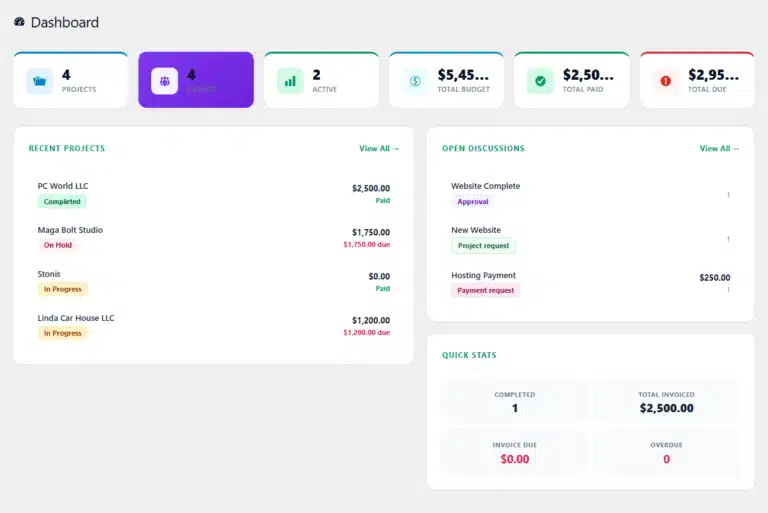
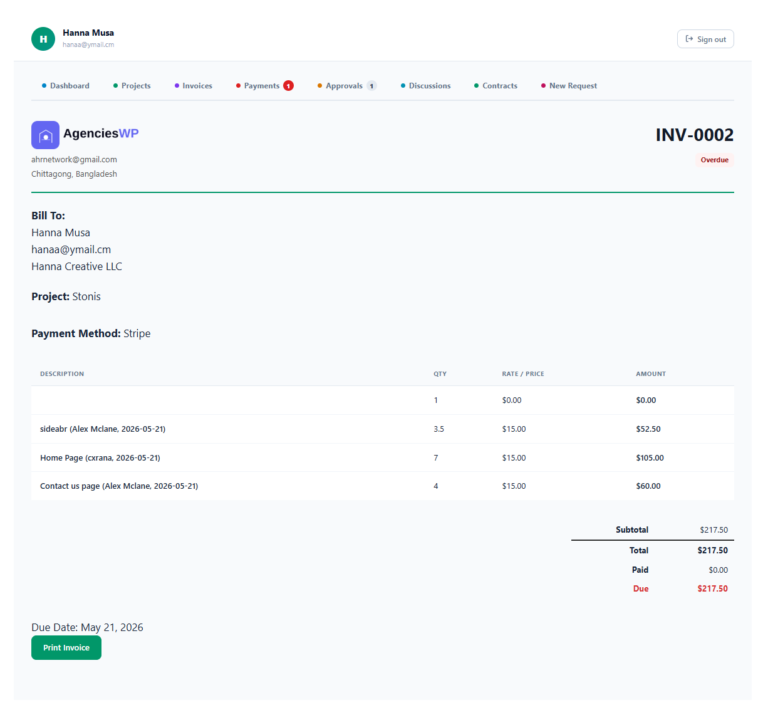
Drop a single shortcode on any page and clients get a fully branded portal with Dashboard, Projects, Invoices, Payments, Approvals, Discussions, Contracts, and a New Request form — all in one place, matching your theme and domain.
2. No WordPress Account Required
Clients log in with their email and a unique Client ID that’s auto-sent when you add them. They never see the WordPress admin, never need to remember a WP username, and never get confused about which “account” is theirs.
3. Live Project & Invoice Data
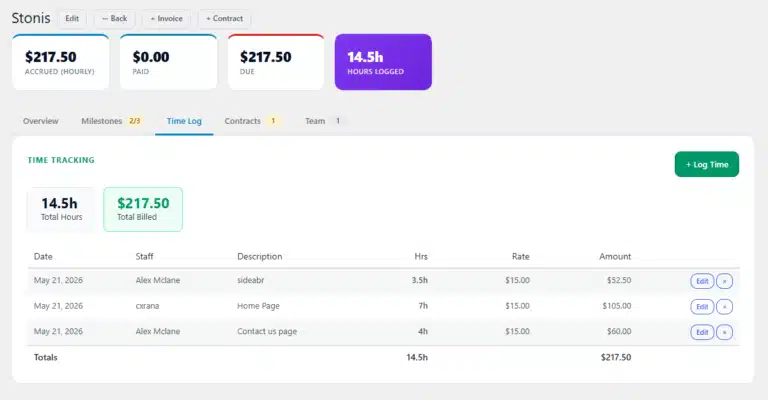
Because the portal pulls directly from the same dashboard you use to manage projects, time, and invoices, there’s no second system to update. Change a project status on your end, and the client sees it update in their portal instantly.
4. Clients Pay Without Leaving the Portal
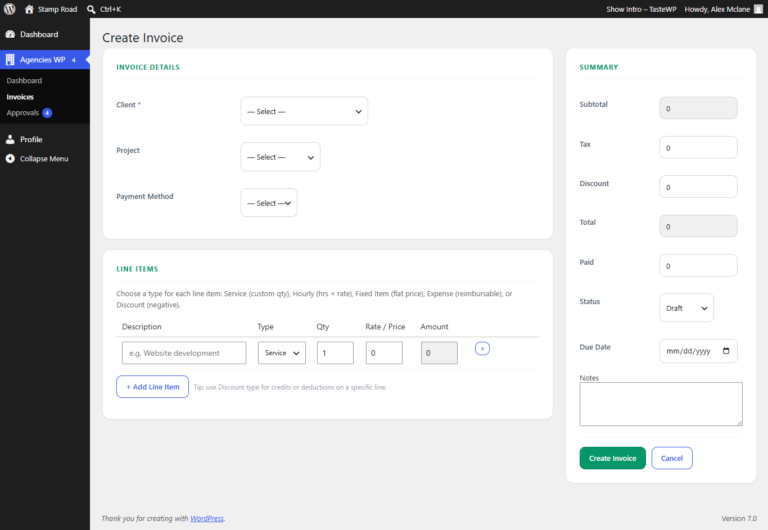
Every invoice includes a one-click Stripe checkout right inside the portal. No redirect to a separate billing tool, no “click here to pay” email link that gets lost.
5. Formal Approvals, Not Just “Looks good!” in an Email
Clients can approve or request changes on completed work directly in the portal, with a timestamped record — useful for scope disputes and for keeping a paper trail your future self will thank you for.
6. Contracts and E-Signatures in the Same Portal
Send a contract with a unique signing link. Clients type their signature, and it’s stored with a timestamp and audit log — no juggling a separate DocuSign subscription.
Pricing: Self-Hosted vs. SaaS Client Portals
| License | Price | Best for |
|---|---|---|
| Single Site | $79/year | Solo freelancers |
| Agency (Most Popular) | $149/year | Up to 5 sites, priority support |
| Unlimited | $299/year | Larger studios, unlimited sites |
Compare that to SuiteDash or Plutio, where per-seat and per-client pricing on the mid-tier plans regularly lands between $228–$470/year — and you’re still paying every single month, indefinitely, for a portal that lives outside WordPress.

With AgenciesWP, you pay once a year, and the plugin keeps working even if you don’t renew.
👉 See full pricing and features →
Frequently Asked Questions
Do clients need a WordPress login to access the portal? No. Clients log in with their email and a unique Client ID — no WordPress account, no admin access.
Can I fully white-label the portal? Yes. The portal matches your branding, colors, and domain. Clients never see AgenciesWP branding unless you choose to show it.
Can clients pay invoices directly from the portal? Yes, with Stripe enabled, clients pay with one click without leaving the portal.
Is this different from a basic WordPress client portal plugin? Yes — most free or basic portal plugins only handle file sharing. AgenciesWP connects projects, time tracking, invoicing, contracts, and approvals into the same portal.
What if I only need the portal and not the rest of the features? The portal is one of nine modules included in every license — you’re never charged separately for it, and you can use as much or as little of the rest as you need.
Give Your Clients a Portal Worth Logging Into
A client portal only works if clients actually want to use it. That means it needs to look like part of your agency, load fast, and show real, live information — not a static file-sharing page.
AgenciesWP gives you that portal, plus the projects, invoicing, contracts, and time tracking that keep it up to date automatically.
💰 See Pricing & Choose a Plan → 📅 Book a Live Demo →
Related reading:
- How to Create a White-Label Client Portal in WordPress (Step by Step)
- The Best WordPress Agency Plugin: A Complete Guide
- The Best WordPress Invoice Plugin with Stripe
- WordPress Agency Management Plugin: 9 Best for 2026
Discover more from Agencies WP
Subscribe to get the latest posts sent to your email.