

TL;DR
A good agency project record answers who, what, how long and how much. AgenciesWP projects include a reference and code, service type, estimated hours with an overrun flag, a project lead, milestones assigned to people and file attachments from the moment you create them.

Details that keep projects organised
- Project reference and code for easy search and invoicing.
- Service type to compare design, development, SEO and other work.
- Estimated hours so overruns are flagged early.
- Project lead so ownership is clear.
- Attachments added while creating the project.
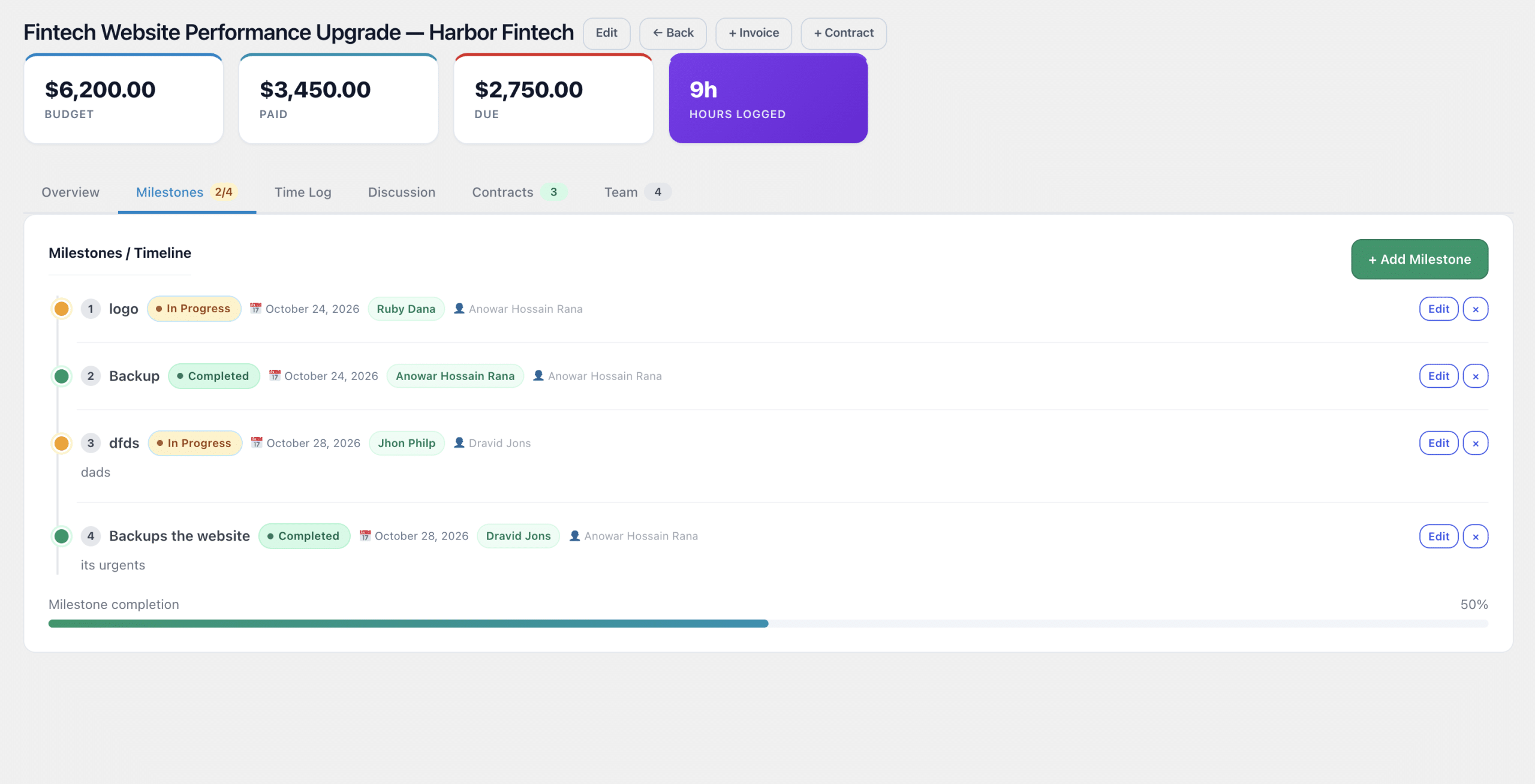
Milestones with owners
Assign each milestone to a person so deadlines have names beside them.
Team on the project

Add the right people to each project so everyone sees what they need and nothing more.
Share progress with clients
Clients follow progress and discussions in their portal, which cuts status-update emails.
Related reading
See the AgenciesWP features, pricing and the documentation. Also read our WordPress client portal guide.
Common mistakes
- Creating projects without estimated hours, so overruns go unnoticed.
- Leaving milestones unassigned.
- Mixing service types in one project, which distorts reports.
- Not naming a project lead.
A simple project kickoff routine
- Create the project with reference, service type and estimate.
- Name the project lead and add team members.
- Add milestones with owners and dates.
- Attach briefs and contracts.
- Share the project with the client portal.
Following the same routine every time makes reporting reliable and handovers painless.
Why structured project data pays off
Consistent fields turn a pile of projects into data you can learn from. When every project has a service type, an estimate and a lead, you can finally answer questions such as which service earns the most per hour, which team member is overloaded and which clients regularly exceed scope.
Example: setting up a website redesign project
- Reference code WEB-024, service type Web design, estimated 120 hours.
- Project lead: your senior designer. Team: designer, developer, copywriter.
- Milestones: discovery, wireframes, design approval, build, QA, launch, each with an owner.
- Attach the signed agreement and brief at creation.
- Share with the client so they see milestones and discussion in their portal.
Keeping projects healthy
- Check overrun flags weekly.
- Close milestones promptly so progress is honest.
- Hold a short retrospective and record what you learned.
- Archive finished projects so lists stay focused.
FAQ
Can clients comment on projects?
Yes, clients take part in project discussion and approvals from their portal.
Can I add files after creating a project?
Yes. Files can be attached while creating a project and added later. See the features page and documentation for details.
Discover more from AgenciesWP
Subscribe to get the latest posts sent to your email.


One Comment