

TL;DR
Scattered email threads cost agencies time and context. AgenciesWP has built-in messaging between your team and clients, plus notification settings so everyone gets the alerts they want and nothing more.
One conversation history
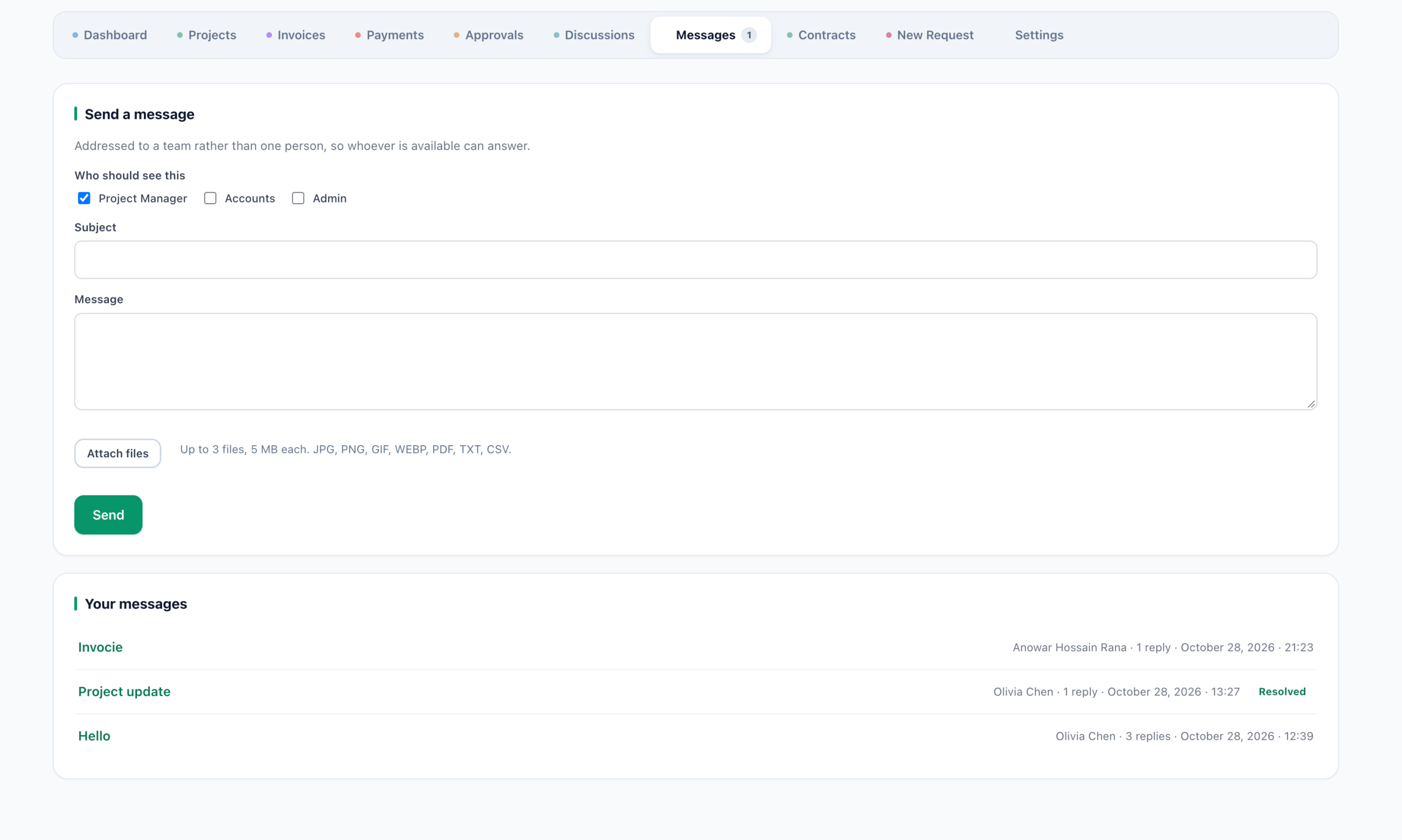
Messages live in the portal next to projects and invoices, so anyone on the team can see what was said and why.

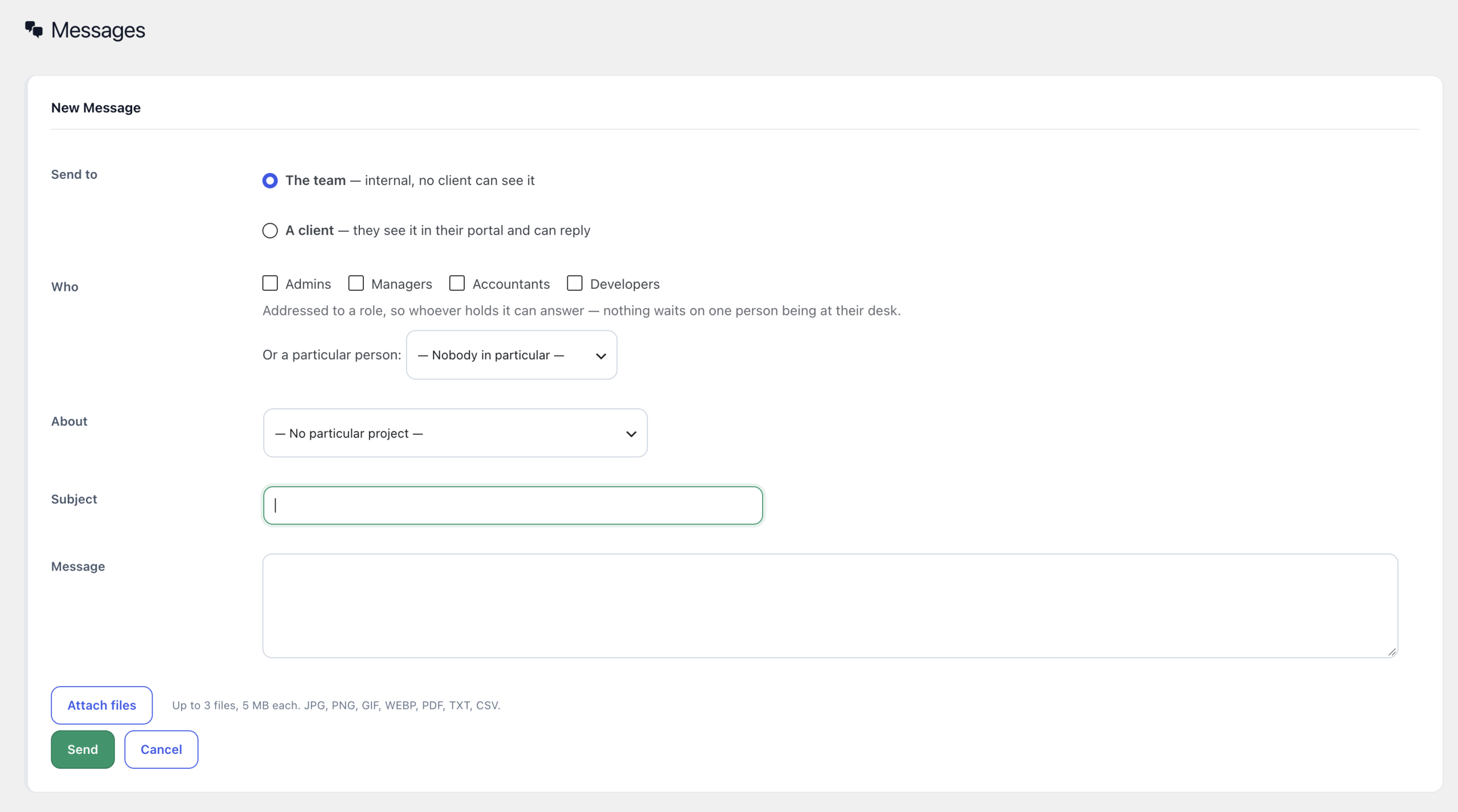
Start a new message
Team members can start a conversation with a client in a few clicks, and clients can reply from their own portal.
What clients see
Notification control
Manage which email notifications are sent so clients are informed without being flooded.


Good messaging habits
- Keep one thread per topic or project.
- Confirm decisions in writing in the portal.
- Turn off notifications nobody reads.
- Respond within one business day.
Learn more
Explore the AgenciesWP features, the documentation and pricing. For the full portal picture read our WordPress client portal guide.
Who benefits most
Agencies juggling many clients benefit most, since a single conversation history prevents lost context when team members change. Clients also appreciate having one place to look instead of searching old emails.
Common mistakes
- Continuing important decisions in private email.
- Leaving every notification on, which trains clients to ignore them.
- Not assigning an owner for each client conversation.
Why portal messaging beats email
Email is flexible but unstructured. Portal messages attach to a client and project, remain searchable and keep the history even when people leave. That is the difference between a conversation and an archive.
Discover more from AgenciesWP
Subscribe to get the latest posts sent to your email.


