

TL;DR
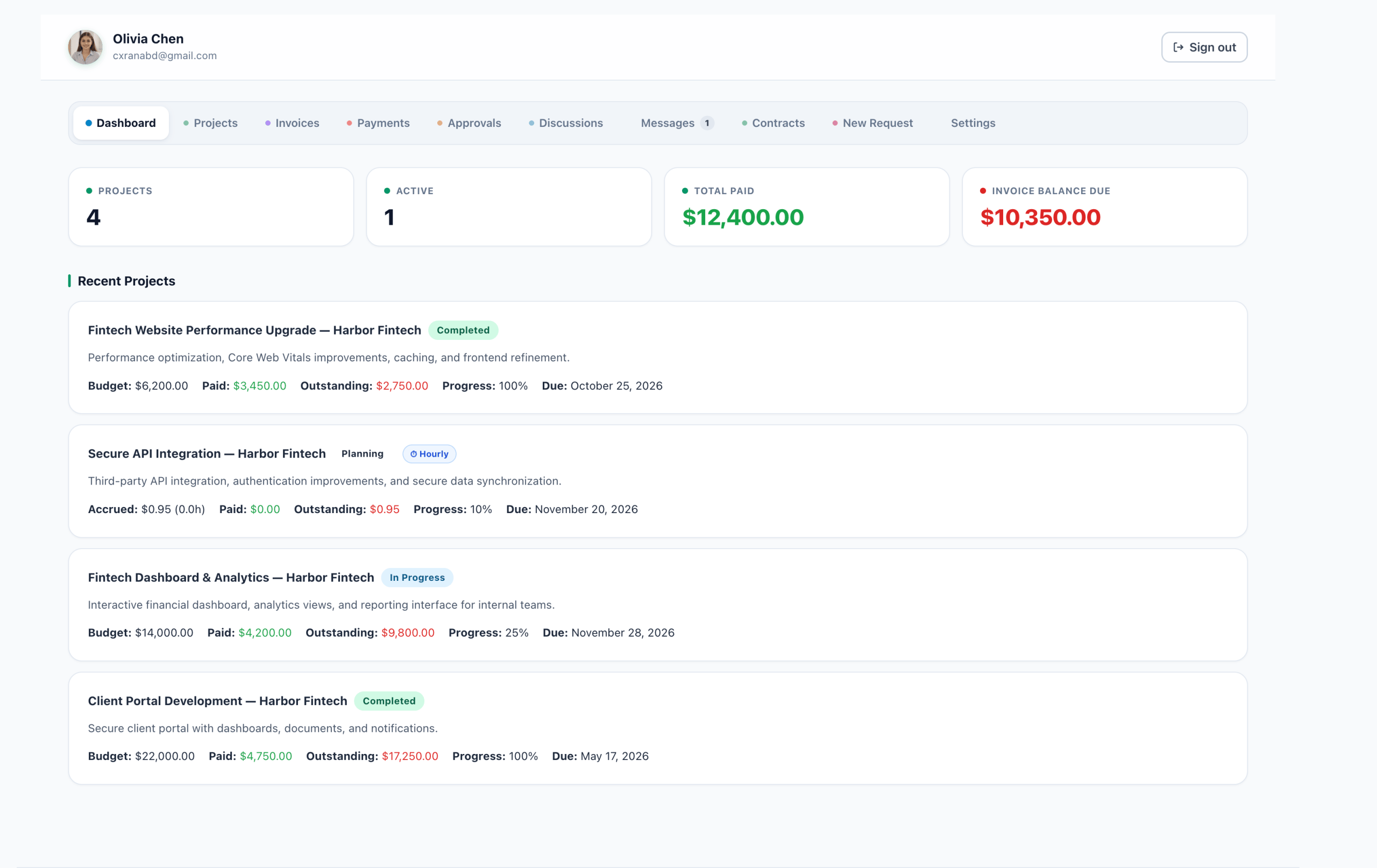
If you are searching for a WP-Client alternative, focus on what your agency actually needs: a branded portal, invoicing, projects, contracts, messaging and team roles in one self-hosted plugin. AgenciesWP is built around that all-in-one idea for agencies and freelancers.
What to compare in any client portal plugin
- Branding: can the portal use your logo, colours and domain?
- Billing: invoices, recurring billing and online payments.
- Projects: milestones, time tracking and file sharing.
- Contracts: proposals and e-signatures.
- Roles: separate access for admins, managers, accountants and developers.
- Ownership: does data stay on your own server?
- Extensibility: is there a REST API?

Why all-in-one matters
Every extra plugin or SaaS tool adds another login, another bill and another place where client information can go missing. An all-in-one approach keeps proposals, projects, time, invoices and messages connected, so one change updates everything.
What AgenciesWP covers
Clients, projects, time tracking, invoicing, recurring billing, expenses, contracts, messaging, reports, an activity log, backups and a REST API are all part of the plugin. Browse the full list on the AgenciesWP features page.
How to evaluate fairly
- Write down your must-have features.
- Install each candidate on a staging site.
- Add a test client and run a project from proposal to invoice.
- Check support, update frequency and documentation.
- Compare total cost over a year.
Next steps
Review pricing, read the documentation, or start with our WordPress client portal guide.
Questions to ask before you switch
- How much of my current data can I import or recreate?
- Does the plugin receive regular updates and support?
- What happens to client data if I stop paying?
- Can I try it on a staging site first?
Honest trade-offs
A self-hosted plugin means you manage your own hosting, updates and backups. In return you own the data, avoid per-client fees and can customise your site. For most agencies that is a fair exchange, but you should decide knowingly. Read the white-label client portal setup guide for the branding side.
Who should switch
Agencies that want billing, projects and contracts connected, freelancers outgrowing spreadsheets, and teams tired of paying several subscriptions are the best fit.
Feature checklist: what a serious client portal should cover
Before you commit, score each candidate against the same list. A portal that looks great but cannot bill clients, or one that bills well but has no project view, forces you back into the patchwork you wanted to escape.
- Client dashboard with projects, invoices and messages in one view
- Proposals and agreements with client signature
- One-off and recurring invoices, expenses and online payment
- Time tracking with estimates and overrun flags
- Roles for admins, managers, accountants and developers
- Activity log, backups and a REST API
- Your branding on your own domain
Cost over a year, not a month
Compare total cost over twelve months, including any per-client or per-seat charges, add-ons you will need and the hours you spend maintaining the setup. A lower sticker price can lose to a higher one that removes manual work. The pricing page lists exactly what each AgenciesWP plan includes, and the comparison page shows how it stacks up against other agency tools.
Migration: moving an existing client list
- Export clients and open projects from your current system into a spreadsheet.
- Create clients in the new portal and invite their team members.
- Recreate active projects with milestones and estimates.
- Move recurring invoices last, so billing never double-fires.
- Keep the old system read-only for one billing cycle.
FAQ
Is a self-hosted portal harder to run?
You manage hosting, updates and backups yourself. The plugin includes backup and restore tools, and the documentation covers setup step by step.
Can clients see only their own data?
Yes. Each client logs in to their own portal view, and team members you add for them see the same client scope.
Where can I see everything included?
The full list is on the features page.
Discover more from AgenciesWP
Subscribe to get the latest posts sent to your email.


3 Comments