

TL;DR
AgenciesWP includes a REST API so you can connect it to your own systems. Create API keys, choose permissions and automate work with tools such as Zapier, n8n and Make, or write custom code against your own site.
What an API gives an agency
Every agency has small manual jobs: copying a new lead into a project, notifying a channel when an invoice is paid, syncing client data. An API lets software do them for you.
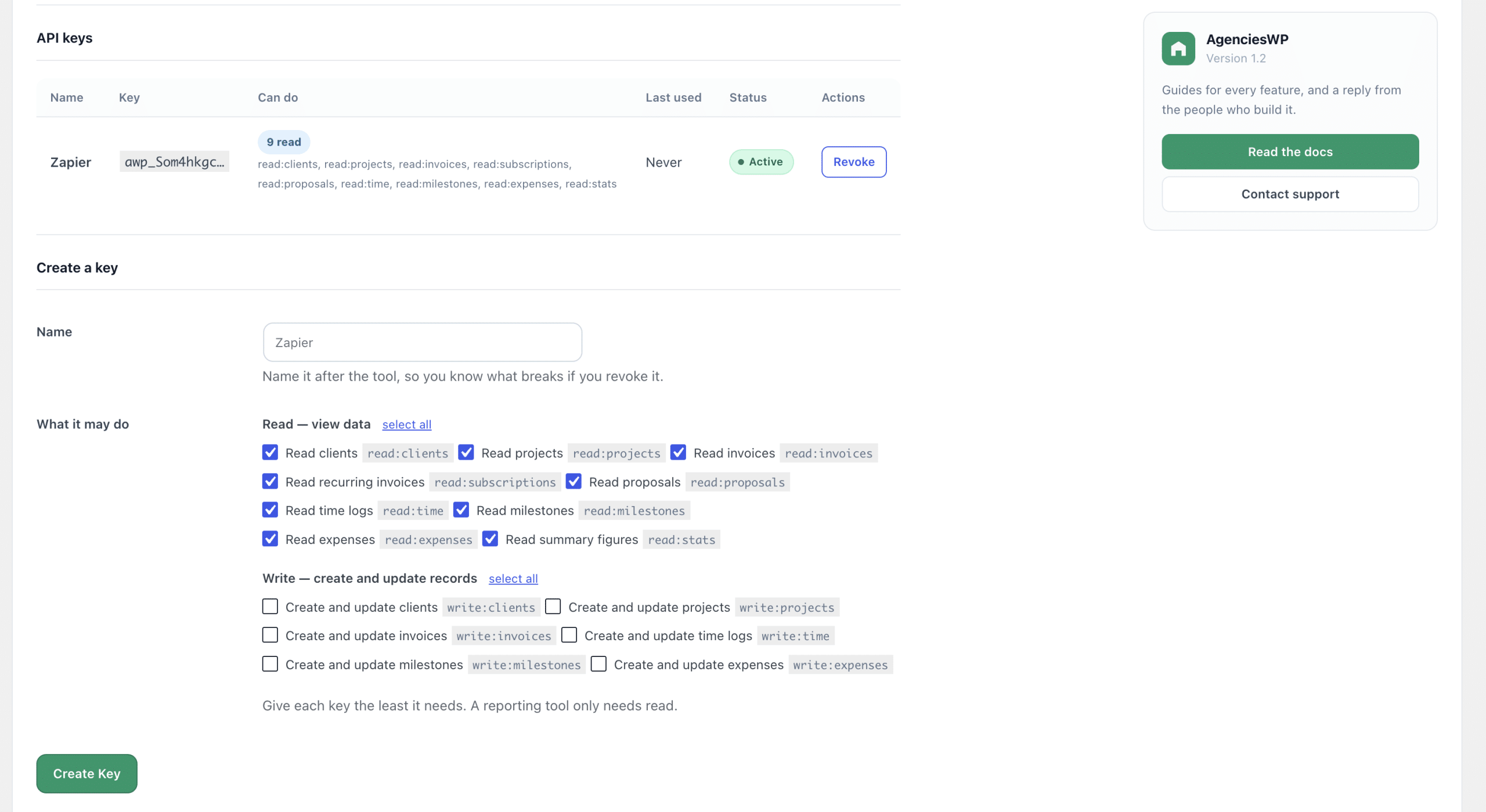
Permissions you control
Each key can be limited to the permissions it needs, so an automation that only reads projects cannot edit invoices. Use the narrowest scope possible.
Ideas to automate
- Create a project when a deal closes in your CRM.
- Post a message to your team chat when a payment arrives.
- Send new client details to your email marketing tool.
- Pull time and invoice totals into a custom report.
Security tips
- Always call the API over HTTPS.
- Store keys in your automation tool secrets, never in public code.
- Create a separate key for each integration.
- Revoke keys you no longer use.
Where to start
Full endpoints and examples are in the REST API documentation. You can also read the documentation, browse the AgenciesWP features and check pricing. For the client side of the system see our WordPress client portal guide.
FAQ
Do I need to code?
Not necessarily. No-code tools such as Zapier, n8n and Make can call a REST API with simple HTTP steps.
Is the API included in every plan?
Check the pricing page for the current plan details.
Common mistakes
- Giving one key full access to everything.
- Hard-coding keys in public repositories.
- Forgetting to monitor automations after changing a workflow.
Who benefits most
Agencies that already use automation tools or have a developer on the team can save hours every month by connecting AgenciesWP to the rest of their stack.
Example automation recipes
- New deal won in your CRM triggers project creation through the API.
- Invoice paid triggers a Slack or email notification to the team.
- Weekly job pulls time and invoice totals into a spreadsheet report.
- Form submission on your website creates a client record.
Planning an integration
- Write the trigger and the desired outcome in one sentence.
- Create a dedicated key with the narrowest permissions.
- Test with a staging site or dummy client first.
- Monitor runs and rotate keys periodically.
FAQ
Where are endpoints listed?
In the REST API documentation, with the documentation and features page for context.
Discover more from AgenciesWP
Subscribe to get the latest posts sent to your email.


3 Comments