

TL;DR
An activity log answers the question every agency eventually asks: who changed this? Backups answer the next one: how do we get it back? AgenciesWP includes both so your client and project data stays accountable and recoverable.
Why an activity log matters
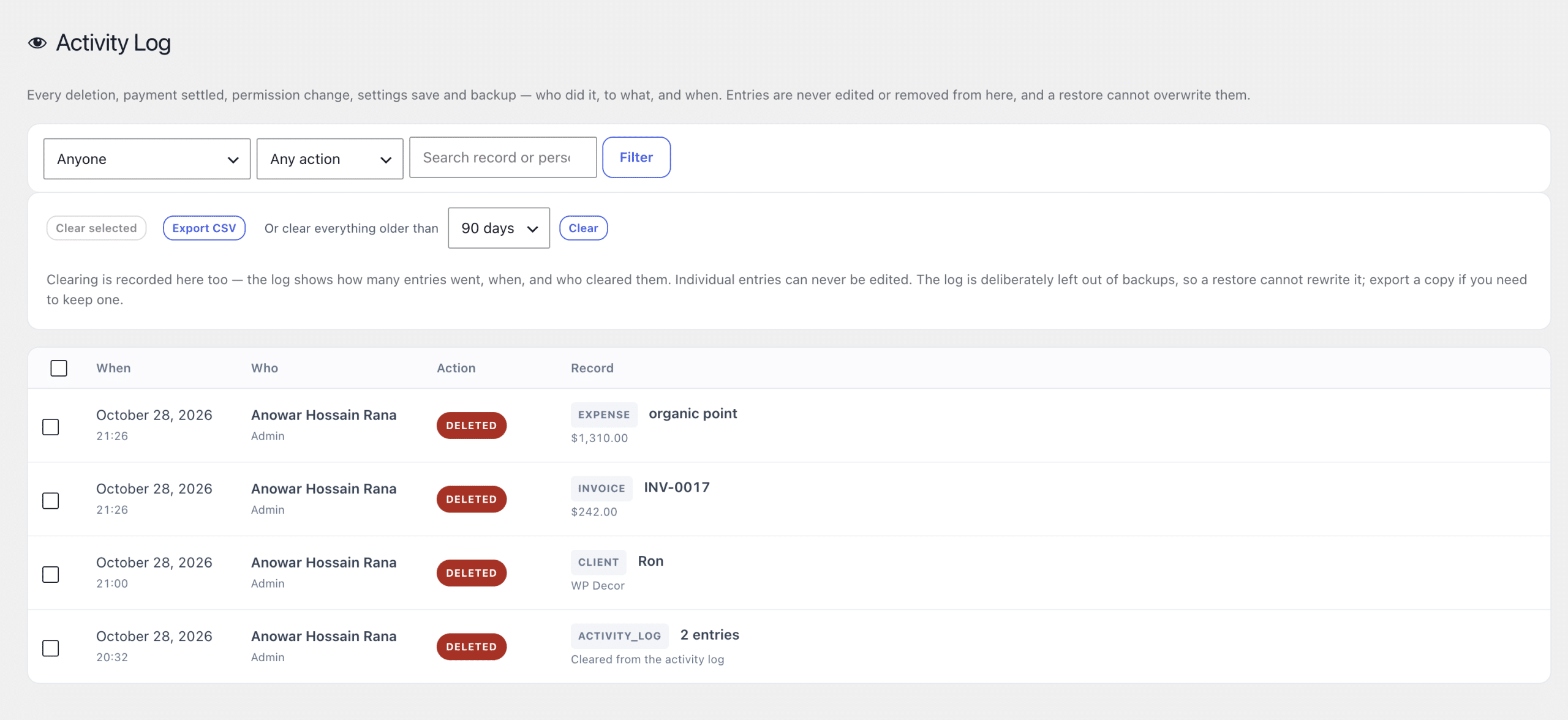
With several team members and clients using the same system, mistakes happen. A log of actions tells you what changed and who did it, which saves arguments and speeds up fixes.
What to use it for
- Finding out who edited or deleted a record.
- Checking when a client viewed or approved something.
- Reviewing team activity after a contractor leaves.
- Supporting disputes with a clear timeline.
Backups and restore
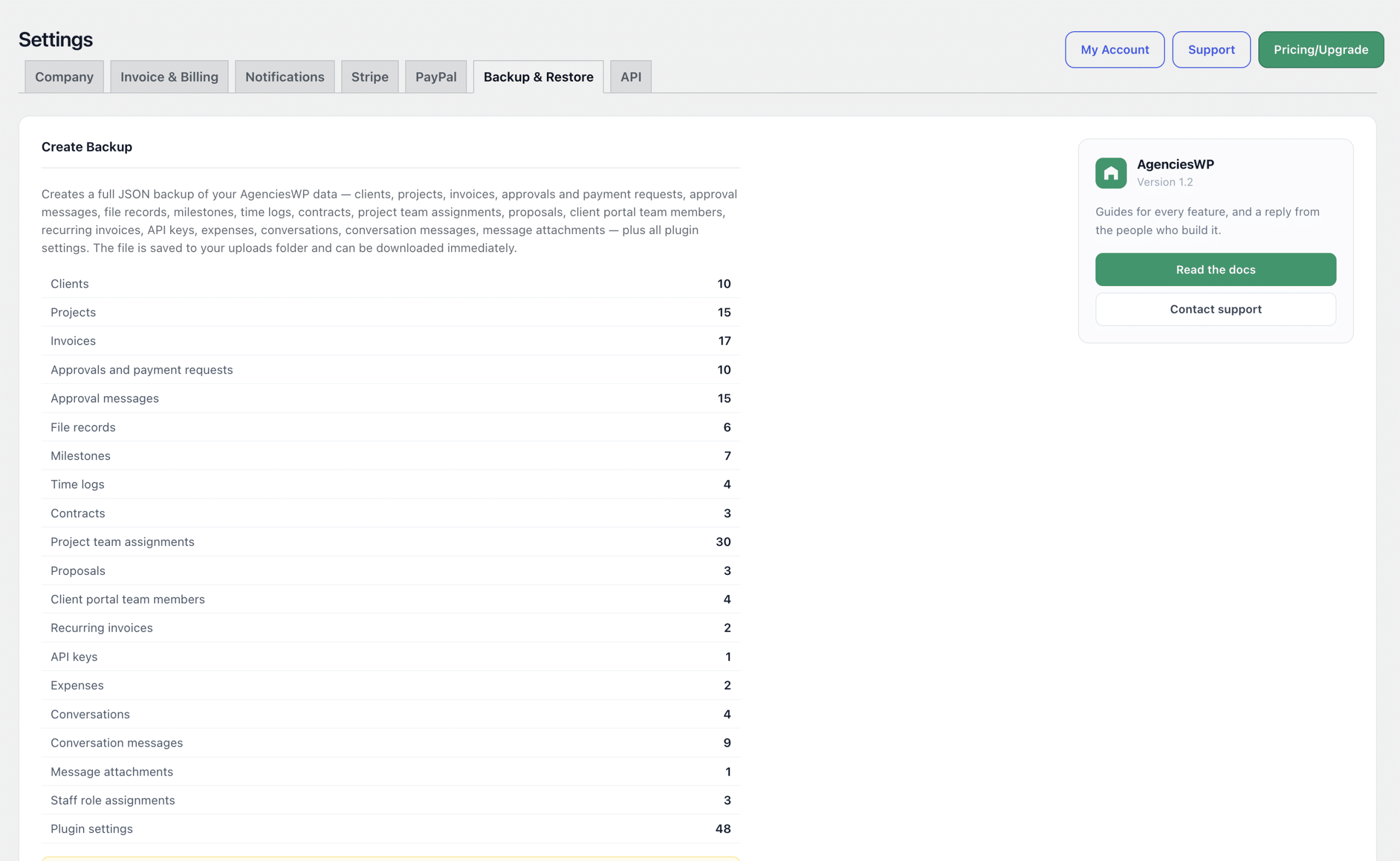
Data you cannot restore is data you do not really have. Backups let you export your agency data and bring it back if something goes wrong, such as a failed migration or an accidental bulk deletion.
A safe routine
- Take a backup before major updates or migrations.
- Keep copies off the server, for example in cloud storage.
- Test a restore on a staging site at least once.
- Review the activity log monthly.
Self-hosted advantage
Because the plugin runs on your own site, you decide where data lives and how often it is backed up. See the AgenciesWP features, the documentation and pricing. For client-facing context read our WordPress client portal guide.
Who benefits most
Agencies with several team members, contractors or client users gain the most. The log gives accountability, and backups give peace of mind before updates, migrations or major changes.
Common mistakes
- Relying only on host backups you have never restored.
- Ignoring unusual activity until a client complains.
- Keeping backups on the same server as the live site.
Discover more from AgenciesWP
Subscribe to get the latest posts sent to your email.


2 Comments