
Projects & milestones
Fixed or hourly budgets, statuses, files, milestones and the project team.
Projects connect a client, a budget, the team doing the work, milestones, time, files, invoices and costs. Each project shows its own profit, so you always know whether a job is paying off.
Create a project
- Go to AgenciesWP → Projects → Add New.
- Add a title and description, then choose the client.
- Pick the budget type (see below) and set the budget or hourly rate.
- Set the status, priority, progress %, start and due dates.
- Choose a Project Lead (the person who owns the project) and tick the team members working on it.
- Click Create. A reference such as
PRJ-0042is generated if you leave it blank.
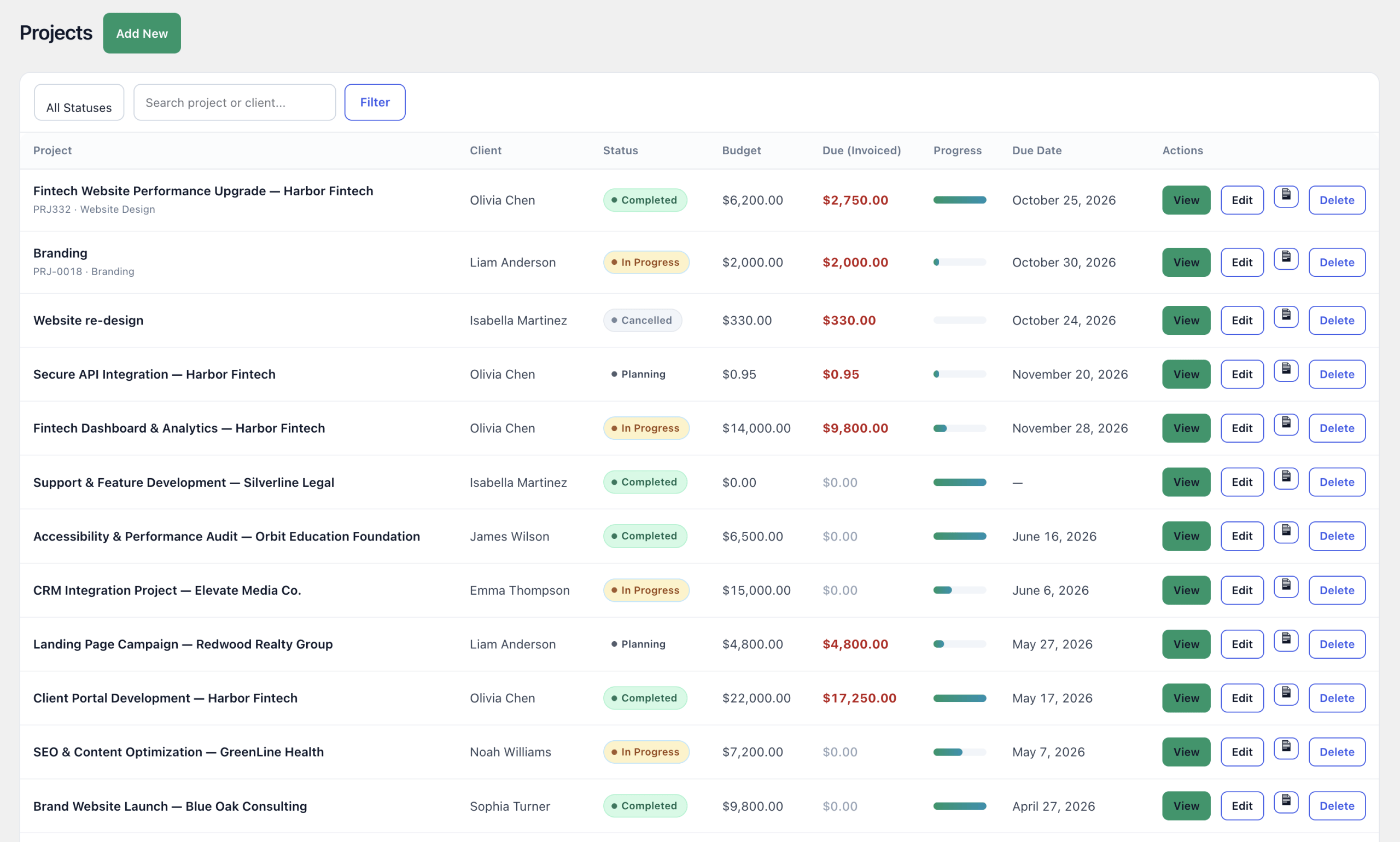
Fixed price or hourly budgets
- Fixed Price: set the total budget up front.
- Hourly: set a default hourly rate. The budget grows automatically as time is logged (hours × rate). Add estimated hours to see hours used against the estimate.
The Service Type field, for example Website Build, groups revenue by kind of work in Reports.
Status, priority and files
- Statuses: Pending, In Progress, On Hold, Completed and Cancelled.
- Priorities: Low, Medium, High and Urgent.
- Upload project files from the admin. Clients can upload files from the portal too.
Milestones and timeline
- Open the project and go to the Milestones tab.
- Click + Add Milestone and enter a title, description and due date.
- Optionally assign it to a team member. They are notified and see it on their dashboard.
- Update the status as work moves: Pending, In Progress, Completed.
Clients see the milestone timeline in the portal, so they always know what stage the work is at. Your dashboard also shows a Milestones / Timeline chart and a Team Workload card.
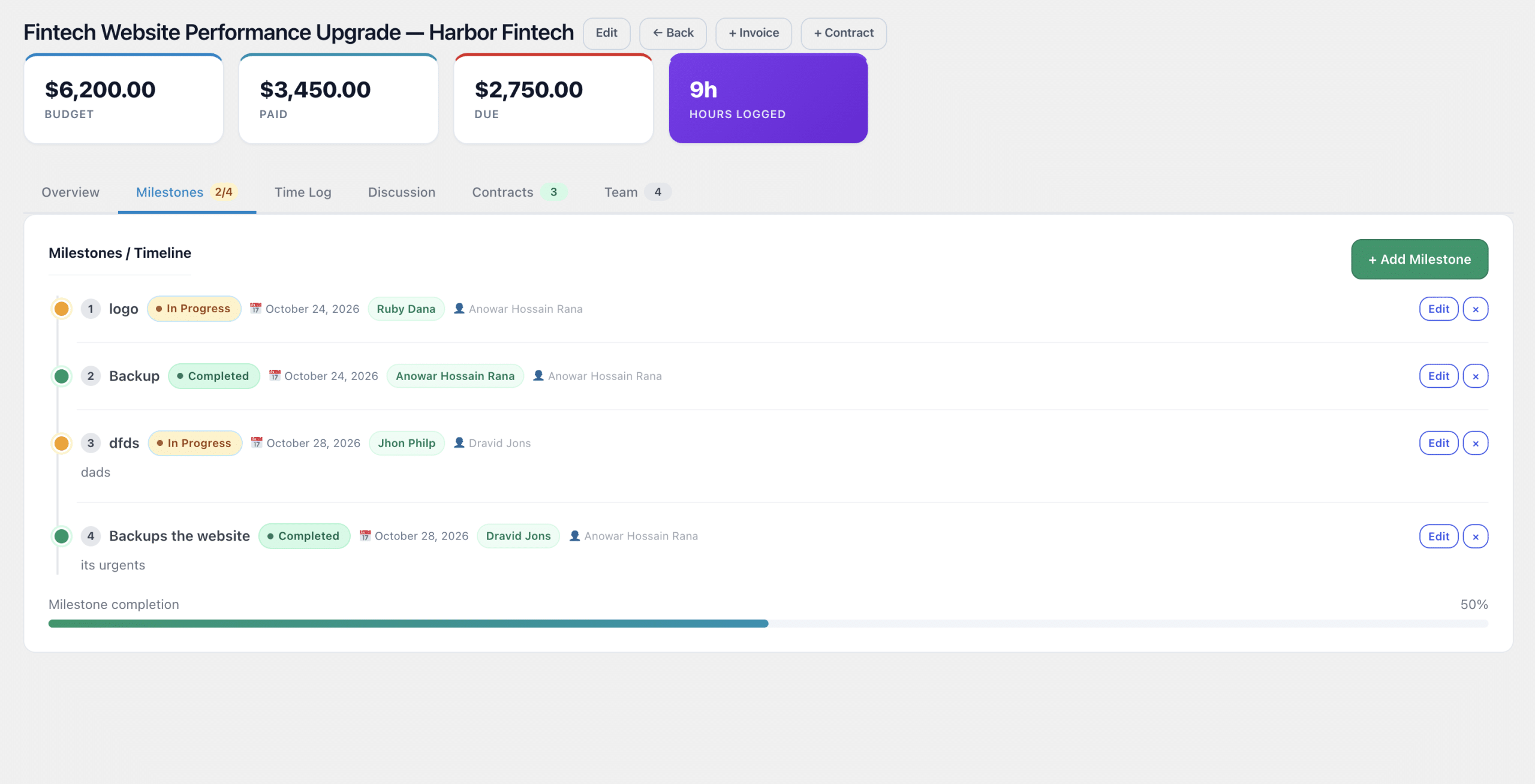
Inside a project
The project page brings everything together in tabs: Overview, Milestones, Time Log, Discussion, Contracts and Team. You will also see:
- Costs & Profit: money received, costs from expenses, profit and margin.
- The project’s one-off and recurring invoices, with + Invoice and + Contract shortcuts.

The project team
Each team member gets a per-project role: Lead, Member or Reviewer. Clients see who is working on their project in the portal. Developers only see the projects they are assigned to. See Team roles & permissions.

Frequently asked questions
Can a project start without a contract?
Yes. Contracts are optional, so you can start a project, log time and send invoices at any time.
Can I switch a project from fixed price to hourly?
Yes. Edit the project and change the budget type. Hourly projects build their budget from logged time.
Can clients see project costs and profit?
No. Clients see status, progress, milestones, files, the team and their own invoices. Costs and margins stay internal.
Related guides