
Proposals & contracts
Send proposals with no-login signing, convert them, and sign contracts.
Win work with a proposal the client can accept without logging in, then put it in writing with a contract signed in the portal. Both use typed e-signatures and keep a record of who signed and when.
Create and send a proposal
- Go to AgenciesWP → Proposals and create a proposal.
- Add numbered line items, tax and any discount.
- Send it by email to anyone, even someone who is not a client yet.
- The recipient opens a secure link with no login and sees a clean proposal document.
Accepting or declining
The recipient accepts with a typed signature or declines with a comment. You sign too, with a live preview as you type your name. You can see when each proposal was sent, first viewed and answered, and you can set the status by hand if you hear back by phone.
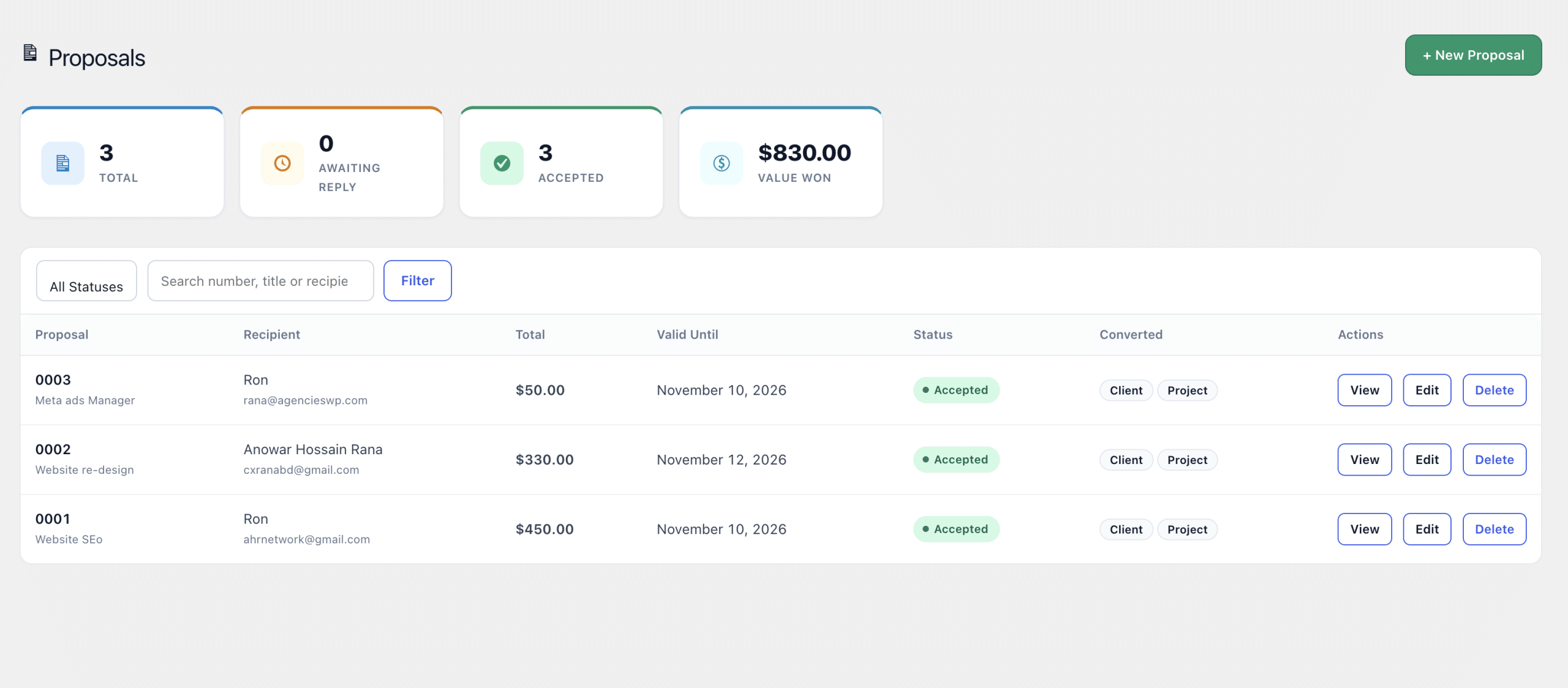
Convert an accepted proposal
Once a proposal is accepted, convert it into a client, a project, or both, in one click. Proposals also appear in the client portal under Contracts & Proposals, read-only with a print option.
Create a contract
- Go to AgenciesWP → Contracts, or click + Contract on a project.
- Add a title, choose the client and, optionally, link a project.
- Write the contract in the editor, with formatting, headings and lists.
- Click Send to Client. The client gets an email with a unique signing link.
The status moves from Draft to Sent to Signed or Declined. The client signs by typing their full name in the portal, and AgenciesWP records the name and the date and time with the contract. Your signatory and role from Settings are printed under the signature.

About typed e-signatures
Typed e-signatures are widely accepted for business agreements, for example under the U.S. ESIGN Act and the EU eIDAS rules, but requirements vary by country and document type. Check with a lawyer for high-value or regulated agreements.
Frequently asked questions
Does the client need to log in to accept a proposal?
No. Proposals open from a secure link with no login. Contracts are signed in the client portal.
Can I turn a proposal into a project?
Yes. Convert an accepted proposal into a client, a project or both in one click.
Can clients download proposals and contracts?
Yes. Both have Print / Save as PDF.
Related guides