
Invoicing
Line items, statuses, tax, discounts, PDFs and payment requests.
AgenciesWP invoices cover everything from a one-off website build to monthly retainers. Clients can pay online by card or PayPal from the portal, and payments update the invoice automatically.
Create an invoice
- Go to AgenciesWP → Invoices and create a new invoice, or click + Invoice on a project.
- Choose the client and, optionally, the project.
- Add line items (see below), then set the tax, due date and any notes.
- Save it as a draft, or click Save & Send Payment Request to ask the client to pay.
Invoice numbers use your prefix from Settings and are never reused, even after an invoice is deleted.
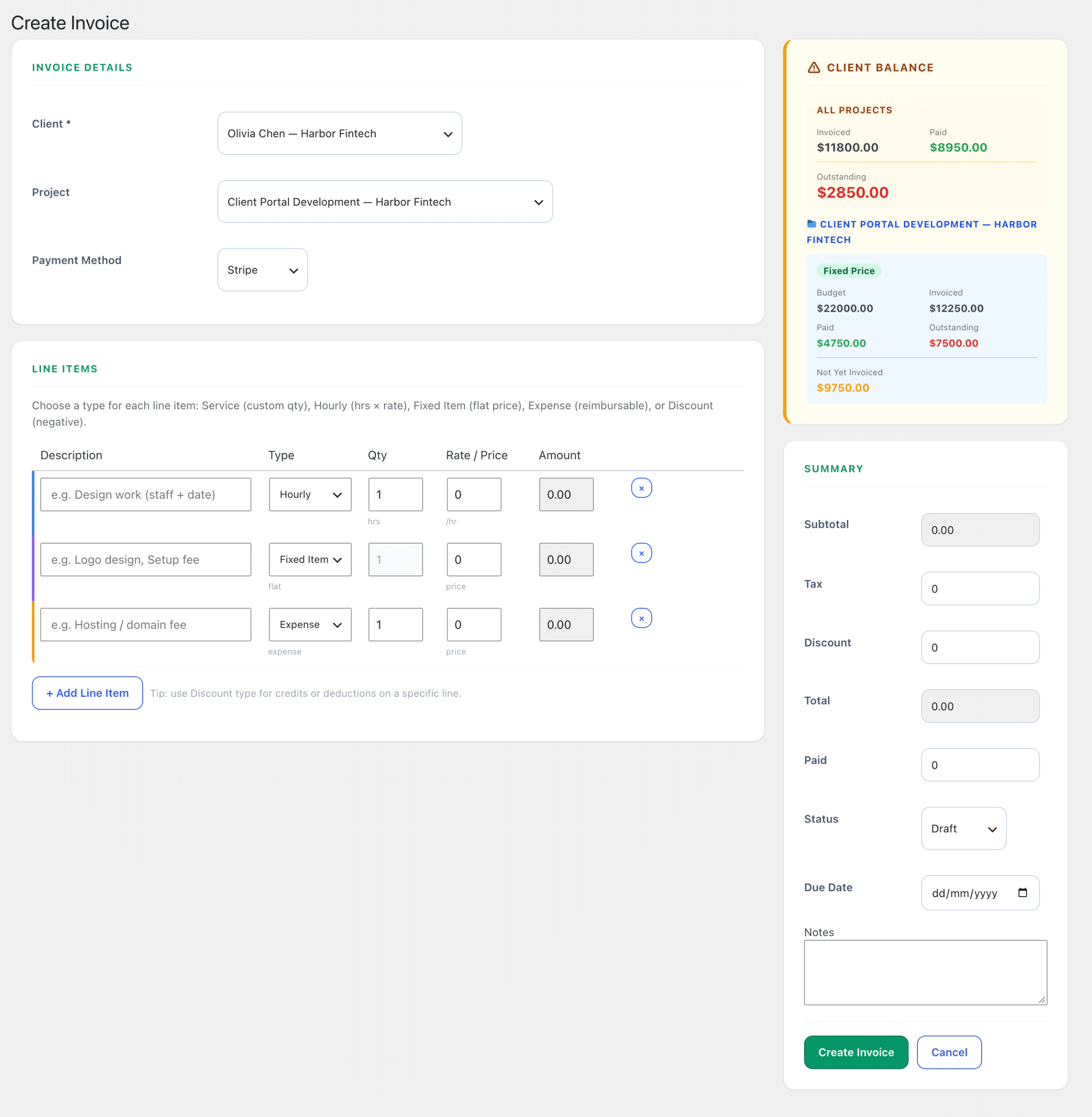
Line item types
| Type | Use it for |
|---|---|
| Service | A described piece of work, such as website development |
| Hourly | Hours × rate, including time imported from the Time Log |
| Fixed Item | A fixed-price deliverable, such as a logo design |
| Expense | Costs you pass on, such as hosting fees |
| Discount | Credits or deductions, such as an early payment discount |
While you build the invoice, the Client Balance panel shows what the client has been invoiced, has paid and still owes.
Invoice statuses
- Draft, Sent, Paid, Partial, Overdue and Cancelled.
- Invoices past their due date are marked Overdue automatically, and reminders can be sent for you. See Recurring invoices, PayPal & reminders.

What clients see
Clients find their invoices in the portal. The invoice they see is the same document you see in the dashboard, with your logo and details. They can:
- Pay a payment request by card through Stripe or with PayPal, when you have them enabled. Use Save & Send Payment Request to send one with the invoice.
- Use Print / Save as PDF or Save as Image.
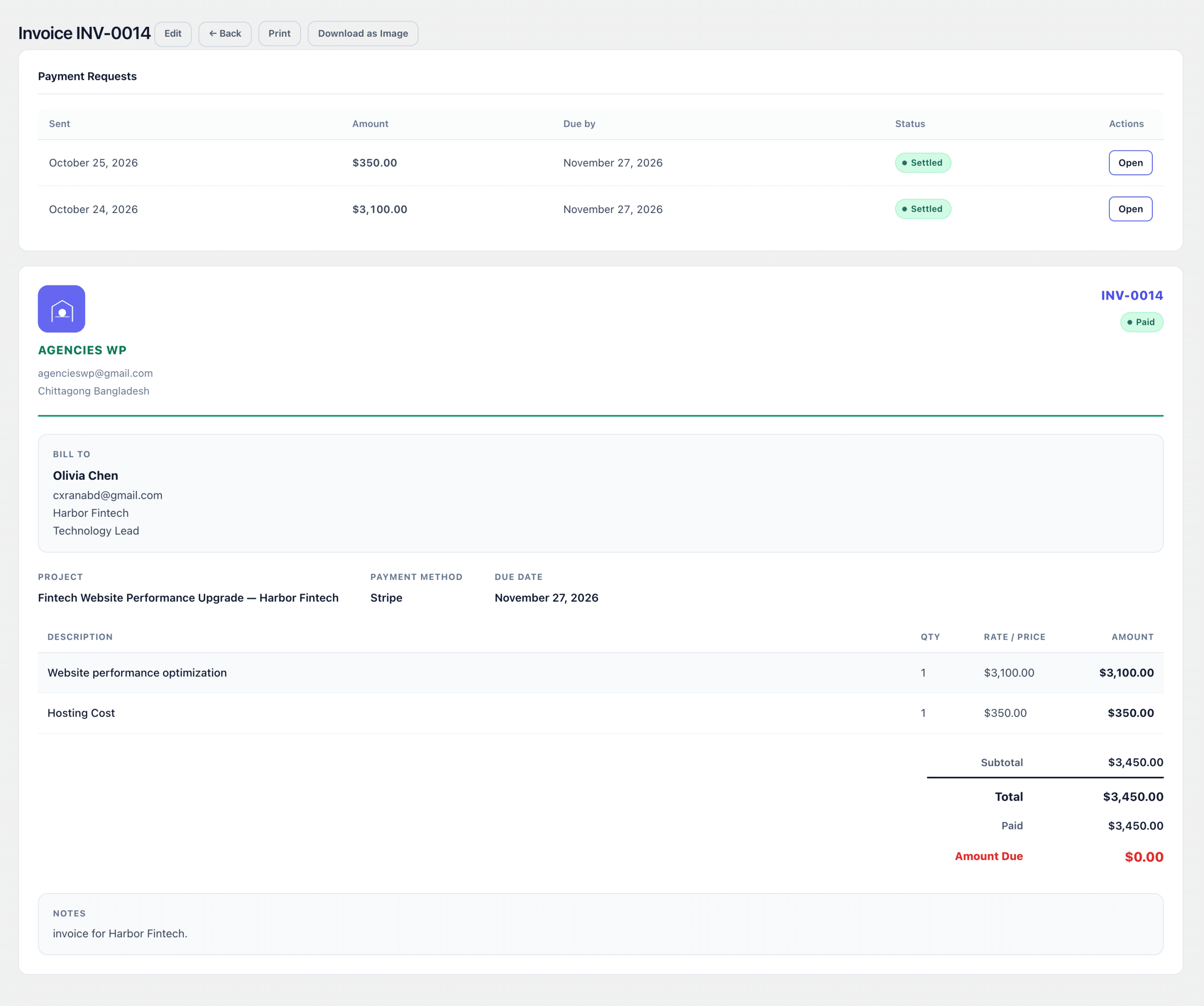
Invoice display options
In Settings → Invoice & Billing you can hide your name if your logo already shows it, and choose whether phone numbers appear. Clients with a billing address, billing email or VAT number get those details on the invoice automatically.
Frequently asked questions
Can clients pay invoices online?
Yes. Enable Stripe for cards and PayPal, then send a payment request with the invoice. Clients pay it from the client portal and the payment is recorded automatically.
How do I bill a monthly retainer?
Use a recurring invoice. It raises itself on the schedule you choose. See Recurring invoices, PayPal & reminders.
Can I add a discount to one invoice?
Yes. Add a Discount line item for any credit or deduction.
Related guides