
Backup, restore & activity log
JSON backups, restoring data and the append-only activity log.
AgenciesWP has two safety nets: JSON backups you can download and restore, and an append-only activity log that records who changed what.
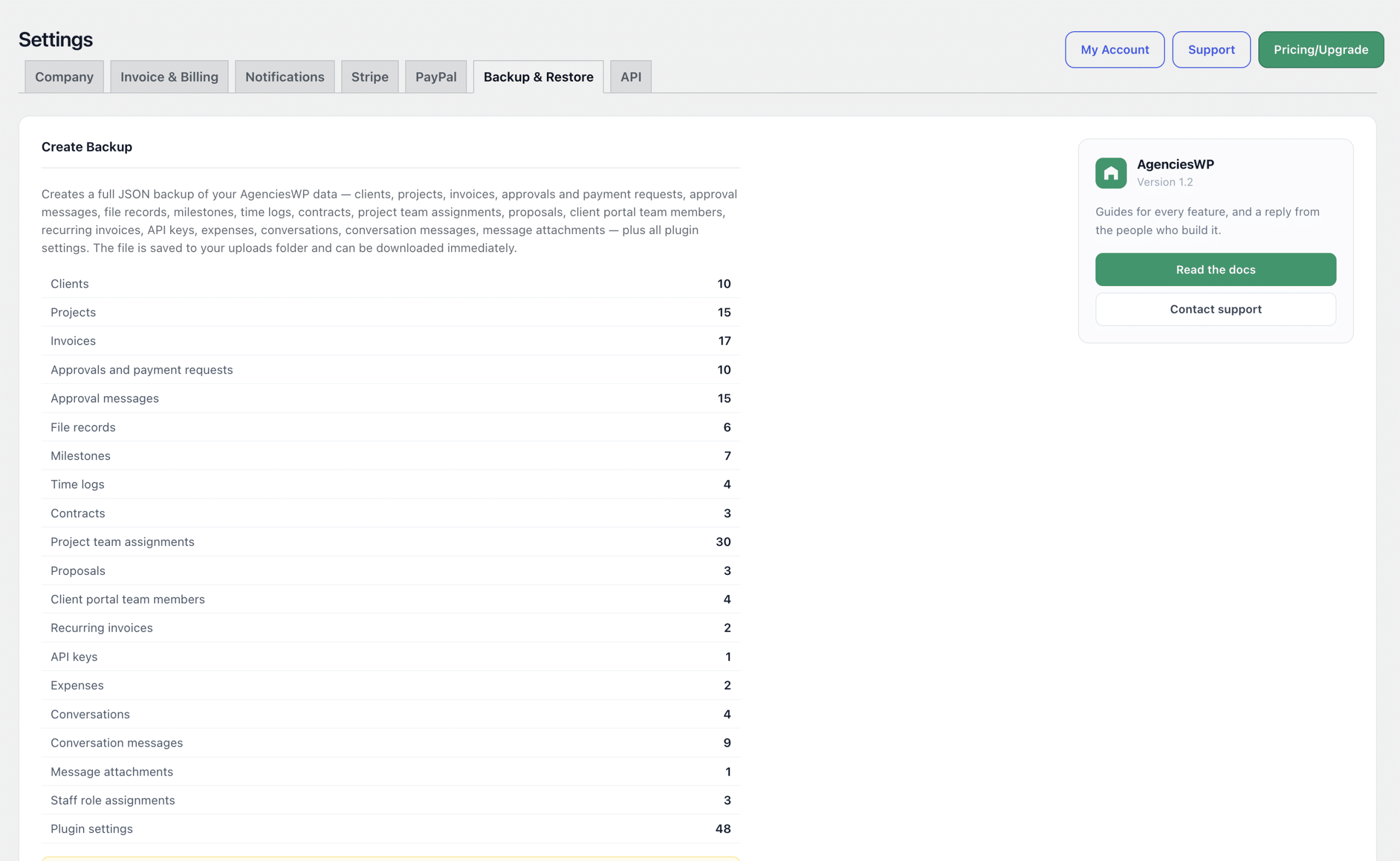
Create a backup
- Go to AgenciesWP → Settings → Backup & Restore.
- Click Create Backup Now.
- The backup is saved as a JSON file and a Download link appears.
- Download it and keep a copy somewhere safe, such as cloud storage.
A backup includes all clients, projects, invoices, contracts, proposals, time logs, expenses and plugin settings. Payment gateway secrets, such as your Stripe and PayPal secret keys, are never written to a backup file. AgenciesWP keeps the last 10 automatic backups and removes older ones to save space.
Restore from a backup
- Go to Settings → Backup & Restore.
- Under Restore From Backup, choose your
.jsonfile. - Choose what to restore: all data, plugin settings, or both.
- Click Restore Now.
The activity log
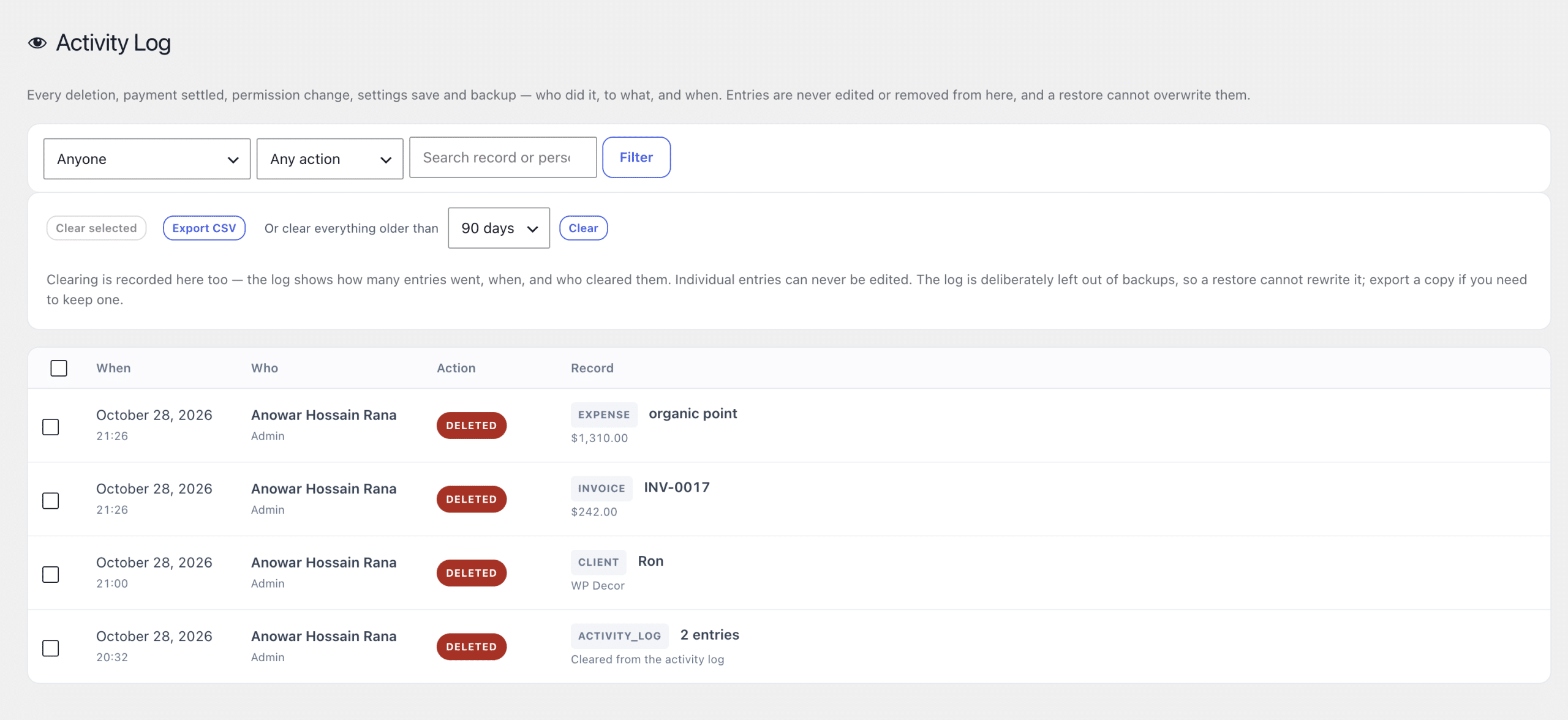
Go to AgenciesWP → Activity Log. This admin-only record answers questions like “who removed that invoice?” months later.
- It records every deletion, every payment marked received and every permission change.
- Each entry stores who did it, what they did it to and when, with the person’s name and role as they were at the time.
- Entries can never be edited.
- Filter by person or action, search, and export the log as CSV.
- Clear entries in bulk or by age. The clearing itself is recorded.
- Set a retention period (forever, 90 days, 6 months, 1 year or 2 years) under Settings → Notifications to prune old entries automatically.
Moving to a new site
- Create and download a backup on the old site.
- Install and activate AgenciesWP on the new site.
- Restore the backup there, then re-enter your payment keys.
Frequently asked questions
Are my Stripe and PayPal keys in the backup?
No. Payment gateway secrets are never written to backup files, so a downloaded backup cannot leak them.
Can someone edit the activity log to hide changes?
No. Entries cannot be edited. They can only be cleared, and the clearing is itself recorded.
Should I still back up my whole WordPress site?
Yes. AgenciesWP backups cover plugin data. Keep regular full-site backups from your host or a backup plugin as well.
Related guides