
Approvals, requests & messages
Approval and payment requests, client requests and team or client messages.
AgenciesWP keeps client conversations organised: send work for approval, request payments, take client requests, and message your team or your clients without email threads getting lost.
Send a request to a client
- Go to AgenciesWP → Approvals and click Send Request.
- Choose the type, the client and the project.
- Add a title and description, and an optional demo link where the client can preview the work.
- Click Send. The client is emailed and sees it in the portal.
| Type | What happens |
|---|---|
| Project approval | The client approves or asks for changes. Approving marks the project complete. |
| Payment request | The client pays by Stripe or PayPal, accepts and shares payment details, or declines. |
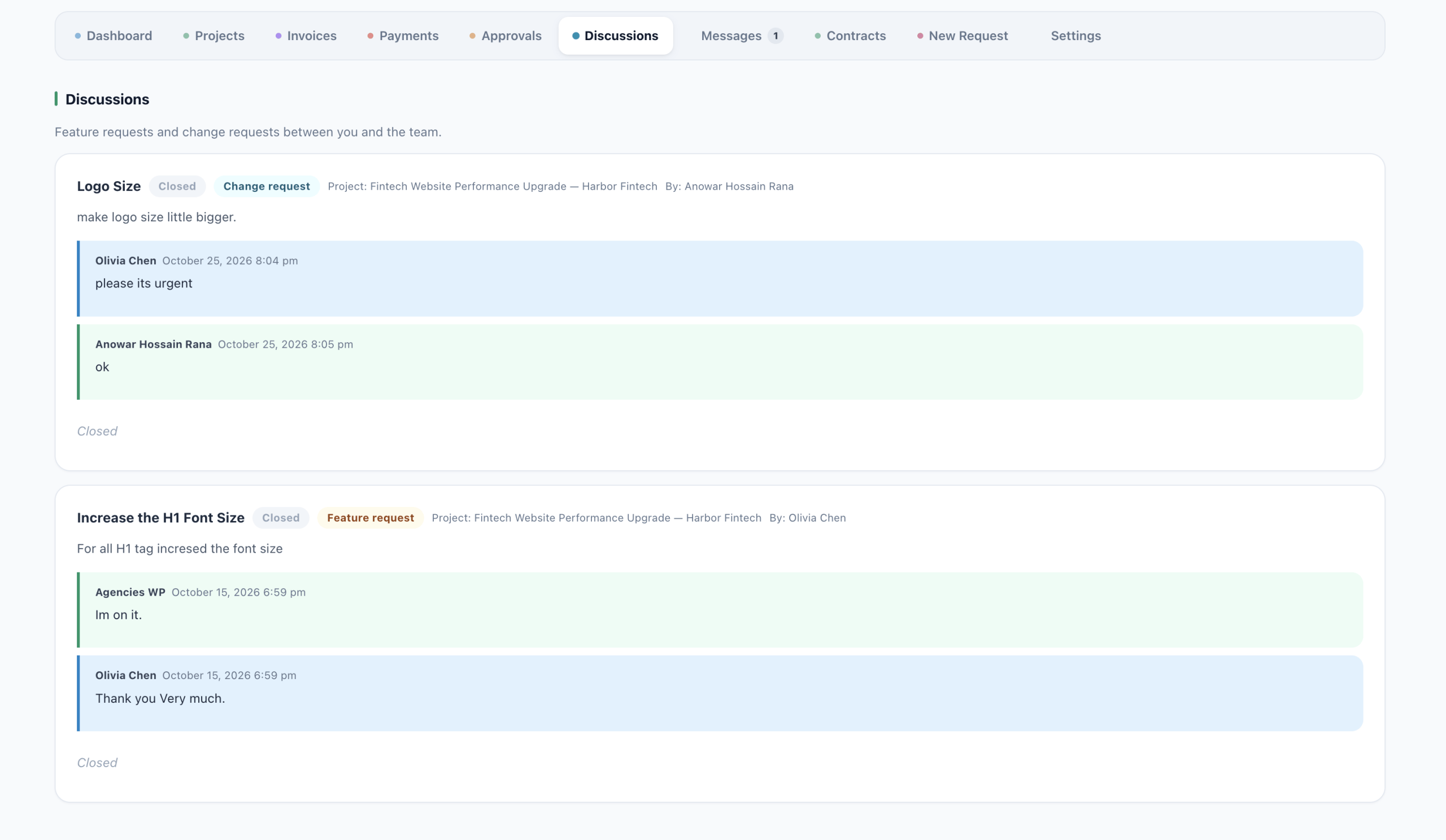
| Feature request | Starts a discussion with the client about a feature. |
| Change request | Starts a discussion with the client about changes. |

Requests from clients
Clients use New Request in the portal to send feature requests, change requests and new project requests. A new project request includes an estimated budget, a desired timeline and project goals. You are notified, can reply in the request’s thread, and then set the work up as a project.
Discussions
Every request has its own discussion thread where you and the client post replies. New and unread items are highlighted in your admin with a badge, and clients can close a discussion when it is resolved.
Messages
Messages has two separate halves that never mix.
Inside your team
- Address a message to a role (Admins, Managers, Accountants, Developers) or to one person.
- Internal conversations can never become client-facing.
With your clients
- Admins, Managers and Accountants can start a conversation the client sees and replies to in the portal.
- Clients can start one too, addressed to the project manager or to accounts.
- Developers cannot message clients.
On both sides
- Up to three attachments per message, 5 MB each, with image thumbnails.
- Mark a conversation resolved. A reply reopens it.
- Attach a conversation to a project.
- Email notifications per person, with an opt-out on each person’s WordPress profile.

Frequently asked questions
Can clients reply by email?
Clients reply in the portal, where the full thread and any attachments are kept together.
Can my developers talk to clients?
No. Developers can use internal team messages but cannot message clients.
Can a client see internal team messages?
No. Internal conversations are kept separate and can never become client-facing.
Related guides